

negative keyword lists
negative keyword lists: Boost ROI with smarter ad targeting
Posted on Nov 17, 2025
Negative keyword lists are your first line of defense against burning through your ad budget. Plain and simple, they tell platforms like Google which search terms you do not want your ads to show up for. By getting ahead of irrelevant searches, you force your budget to work smarter, spending it only on clicks that could actually turn into bookings.
Why Negative Keyword Lists Are a Non-Negotiable
Forget the textbook definitions for a second. The best way to think about a negative keyword list is like a bouncer for your ad campaigns. Its sole job is to turn away the wrong kind of traffic before you have to pay the cover charge for their click.
Without this gatekeeper, you’re basically leaving the front door wide open. You'll end up paying for clicks from people looking for jobs at your company, DIY guides on fixing a leaky faucet, or worse, one of your competitor's services. This isn't just about pinching pennies; it's a fundamental part of a sharp paid search strategy.

The Strategic Value in Every Click Saved
Every single irrelevant click you avoid sends positive ripples through your entire campaign. It might not seem like a big deal one click at a time, but by consistently filtering out low-quality traffic, the benefits really start to stack up.
- Better Ad Relevance: When your ads only appear for searches that actually match what you offer, platforms like Google notice. This improves your Quality Score, which can lead to lower costs and better ad positions.
- Higher Conversion Rates: This one’s a no-brainer. When you focus your spend only on people with high intent to book, the percentage of clicks that convert into actual reservations naturally goes up.
- Cleaner Performance Data: Wasted clicks just muddy the waters in your analytics, making it nearly impossible to see what’s really driving results. Clean data helps you make much smarter decisions on where to put your money.
Ultimately, negative keyword lists are a cornerstone of effective performance-based advertising, making sure every dollar you spend is tied to a measurable outcome. This becomes even more critical as you start weaving your PPC and SEO efforts together for greater impact.
https://gethostai.com/blog/ppc-and-seo-working-together
The High Cost of Neglect in Automated Campaigns
If you think you can get away with ignoring negative keywords, think again—especially if you're using automated campaign types like Performance Max (PMax). These campaigns are designed to find customers across all of Google's channels using machine learning. But without tight guardrails, they can—and will—blow through your budget on completely mismatched searches.
It's shocking how many advertisers drop the ball here. One deep-dive analysis of nearly 25,000 active PMax campaigns revealed that a whopping 68% were running without any negative keywords. To make matters worse, 80% of the accounts didn't even have account-level negative lists set up, a simple step that would have protected all their campaigns at once.
By not actively managing your exclusions, you’re letting an algorithm guess where to spend your money. In a competitive field like short-term rentals, that’s a recipe for disaster. A proactive approach to negative keywords isn't just a good idea; it's essential for survival.
Finding the Keywords That Are Costing You Money
A powerful negative keyword list isn’t just a nice-to-have; it's a core part of a profitable ad strategy. It’s not built on guesswork. It's built through careful research to find the exact search terms that are quietly draining your ad budget with zero chance of converting.
Think of this process as building a defensive wall. It’s a repeatable method for stopping expensive mistakes before they happen. And the best place to find your building materials is in your own account data. Your ad platform's search term report is a goldmine, showing you precisely what people typed into the search bar right before clicking your ad.

Mine Your Search Term Reports
This report is ground zero for finding budget-wasting keywords. When you dig in, you’re not just looking for random words. You're hunting for patterns—patterns of user intent that just don't line up with what you're offering.
As an STR manager, you might see clicks from searches like "long-term apartment rentals" or "property management jobs." Those people are clearly not looking for a vacation rental, yet you're paying for every one of their clicks.
Your search term report is the truest reflection of how people find you. Treat it like an ongoing focus group and listen carefully to what it's telling you about mismatched intent. Ignoring this data is like paying for feedback and then throwing it away.
Consistently mining this report is the most direct way to build an effective negative keyword list. I recommend scheduling time to review it weekly for new campaigns and at least monthly for your evergreen ones.
Identify Negative User Intent Modifiers
Beyond specific irrelevant terms, you need to spot "modifiers." These are the extra words people add to their searches that instantly signal they are not your target guest. Think of them as universal red flags. Adding them to your lists can proactively block a ton of low-quality traffic.
Here are a few common categories of modifiers to watch out for:
- Job-Seeker Terms: Words like
jobs,careers,hiring,salary, andresumeare dead giveaways. These users want employment, not a place to stay. - Informational/DIY Intent: Searches containing
how to,DIY,template,guide, orexamplecome from people doing research, not making a booking. A search for "how to clean a vacation rental" should never trigger your ad for a "clean vacation rental in Miami." - Bargain Hunters (Non-Buyers): Terms like
free,giveaway, orfree accommodationare almost always a complete waste of your ad spend.
Adding these modifiers as broad or phrase match negatives can prevent your ads from showing for thousands of irrelevant searches down the line. It's a simple move with a huge impact.
Leverage Keyword Tools for Brainstorming
Your own data is king, but keyword research tools can help you think outside the box and anticipate problems. A tool like Google's Keyword Planner is perfect for this.
Start by plugging in one of your core keywords, like "beachfront condo rental." The tool will spit out hundreds of related ideas. Your job is to scan this list not for what to target, but for what to exclude.
You’ll probably uncover variations you hadn't even considered, like searches for "timeshare beachfront condos" or "beachfront condo owner forums." These are perfect candidates for your negative keyword list. This proactive approach helps you block irrelevant traffic before you have to pay to find out it's irrelevant.
Analyze Competitor-Related Searches
Finally, take a look at how people search for your competitors. While bidding on competitor names can sometimes be a smart strategy, it often attracts clicks from people who are fiercely loyal to that brand or just looking for customer support.
Scan your reports for searches like "[Competitor Name] login," "[Competitor Name] support," or "reviews for [Competitor Name]." These clicks are incredibly unlikely to ever convert into a booking for you.
Adding competitor brand names as negatives can tighten your targeting and ensure you’re not paying to help a rival's customers find their website. It’s a simple step that keeps your budget focused on users who are genuinely open to booking with you.
Structuring Your Lists for Scalability and Control
A messy negative keyword list is a ticking time bomb for your ad spend. When your account grows beyond a few campaigns, scattered exclusions and a lack of organization make it nearly impossible to diagnose problems or scale effectively.
A little structure upfront saves countless hours of headaches down the road.

List Levels and When to Use Them
The first step is deciding where to apply your negative keywords. Google Ads and other platforms give you three main levels: Ad Group, Campaign, and Account. Each has its place, and knowing which one to use is key to maintaining control.
A quick way to think about it is moving from surgical precision to broad-stroke protection. You use ad group-level negatives for fine-tuning, campaign-level for broader themes within a specific marketing push, and account-level for the universal "never show me for these" terms.
Choosing the Right Negative Keyword List Level
| List Level | Best For | Example Use Case | Management Complexity |
|---|---|---|---|
| Ad Group Level | Highly specific, granular control to prevent keyword overlap within a single campaign. | You have an ad group for "beachfront cabins" and another for "mountain cabins." You'd add "mountain" as a negative to the beachfront ad group to keep traffic perfectly segmented. | Low |
| Campaign Level | Applying broader exclusions that are relevant to an entire campaign's strategy but not the whole account. | A campaign is focused solely on "luxury vacation rentals." You’d create a campaign-level list to block terms like "cheap," "budget," or "discount." | Medium |
| Account Level | Universal, brand-wide exclusions that should apply to every single ad you run, no matter what. | Blocking searches for job seekers ("careers," "jobs"), irrelevant information seekers ("how to," "DIY"), or your own company's brand name in non-brand campaigns. | High |
Think of this structure as a funnel. Account-level lists catch the obvious waste at the top, campaign lists refine the targeting for specific goals, and ad group negatives provide the final layer of precision.
Pro Tip: Effective structure isn't about complexity; it's about clarity. A well-organized account means fewer slip-ups and much faster troubleshooting when performance dips.
Building Shared Negative Keyword Lists
This is where the real efficiency kicks in. Shared lists are master lists you can create and then apply to multiple campaigns at once. Instead of adding "competitor A" to ten different campaigns manually, you add it once to your "Competitors" shared list. It's a massive time-saver and drastically reduces the chance of human error.
Here are a few essential shared lists every STR manager should build from day one:
- Competitors: Gather all your rival brand names here. Every time a new competitor pops up, you only have to add them to this one list to block them everywhere.
- Non-Commercial Intent: These are terms from searchers who have zero intention of booking. Think "jobs," "free," "DIY," "reviews," or "login."
- Geographic Exclusions: If you only operate in Florida, you don’t want to pay for clicks from people searching for rentals in "London," "Mumbai," or "Sydney."
Just how powerful is this? Agencies like Level Agency have compiled massive universal negative keyword lists with over 1,500 keywords to filter out unqualified traffic before it ever costs a dime. You can read more about Level Agency’s findings on negative lists.
Organizing Themes for Quick Updates
As you expand, keeping these lists tidy is non-negotiable. The secret is consistent theming. By grouping keywords into logical themes, you can make updates in seconds, not hours.
When a new irrelevant search term pops up in your reports, don't just add it randomly. Follow a simple process:
- Pull up your recent search term reports and look for mismatches.
- Tag each new negative keyword with a theme, like “Competitor,” “DIY,” or “Wrong Location.”
- Add the newly tagged terms into the correct master shared list in your library.
- Double-check that the updated lists are applied to all the right campaigns.
This disciplined approach prevents duplicate entries and ensures your lists remain lean and actionable.
Tidy lists empower you to diagnose underperforming ads in minutes. Messy lists can take hours to untangle.
Monitoring and Diagnosing Performance Issues
Your negative keyword lists are not a "set it and forget it" tool. They need regular check-ups to make sure they aren't accidentally strangling your campaigns.
Keep a close eye on metrics like Impression Share Lost to Negatives. If you see a sudden spike in lost impressions right after adding a new batch of negatives, you might have been too aggressive and blocked valuable queries.
I recommend implementing a quarterly audit. Here's what that looks like:
- Export your current negative keyword lists into a spreadsheet.
- Compare them against your live search term data from the ad platform.
- Look for any blocked terms that have actually driven conversions in the past. It happens!
- If you find any, consider removing them or tightening the match type (e.g., from broad to exact match) for more control.
This constant feedback loop keeps your lists aligned with what real users are actually searching for. For those managing larger accounts, a tool like hostAI can automate alerts when your exclusion lists start negatively impacting key performance metrics.
Scaling Lists Without Losing Control
As your business grows, so will the complexity of your negative keyword setup. A list with a few dozen terms is easy to manage; one with thousands is not.
When a shared list grows past 500 entries, it's time to break it down. For example, a huge "Geographic Exclusions" list can be split into regional lists like "NEG_Geo_Europe" and "NEG_Geo_Asia." This keeps the interface from getting sluggish and makes management easier.
For ultimate control, maintain strict naming conventions. Something like “NEG_Competitors_US” or “NEG_NonCommercial_Global” leaves no room for confusion.
For those operating across multiple ad platforms, look into using scripts or APIs to automatically sync your shared lists. This ensures consistency everywhere and saves your team from a world of manual updates.
Maintaining Shared Lists
Finally, good maintenance requires a clear process. Shared lists, in particular, need guardrails to prevent them from becoming a chaotic mess.
- Set a review schedule: Assign an owner to each list and put a quarterly review on the calendar.
- Use a change log: Whether in the platform's notes feature or a separate shared doc, track what was added, when, and by whom.
- Watch the file size: Some ad platforms get laggy with large lists. If your text file is getting over 10 KB, it’s a sign you might need to compress or split it.
- Keep it transparent: A shared Google Sheet that tracks all keyword additions is a great way to keep the whole team on the same page.
A little process goes a long way. It’s the foundation of consistent, scalable, and profitable PPC management.
Applying Your Lists Across Different Ad Platforms
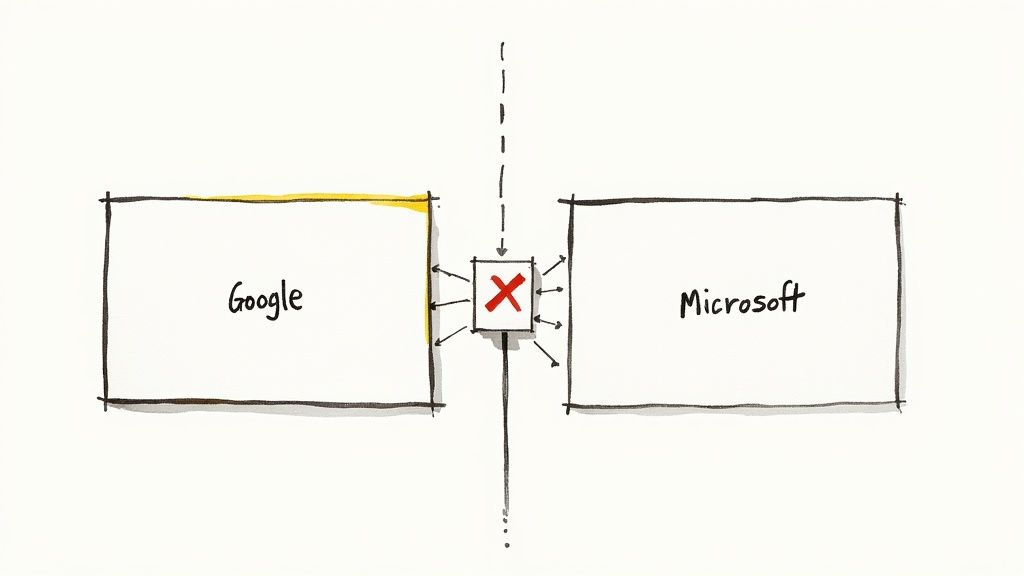
Once you've got your negative keyword lists built out, it's time to put them to work where it matters. While the big-picture strategy is the same everywhere, the actual tactical execution changes from platform to platform, like between Google Ads and Microsoft Ads. Getting those details right is what separates a money-saving campaign from a money pit.
Each platform has its own interface quirks and little nuances in how things work. Knowing the difference will keep you from accidentally blocking good traffic or, worse, leaving the door wide open for irrelevant clicks.
Navigating Google Ads Implementation
As the biggest player in the game, Google Ads has a powerful system for shared negative lists, but it demands you pay attention. The real headache these days is applying these lists to the newer, more automated campaign types Google keeps rolling out.
Take Performance Max (PMax) campaigns, for example. They run with a level of AI autonomy that can make any hands-on manager nervous. At first, our control was pretty limited. Thankfully, you can now apply account-level negative keyword lists to PMax, which is absolutely essential for blocking things like your own brand name or universal negatives like "jobs" or "for sale."
If you need to add campaign-specific negatives to PMax, it can sometimes be a clunky process that requires getting in touch with Google support. Your best bet? Always start with a rock-solid account-level list.
One thing to keep an eye on with Google Ads is the list capacity. The official limit has long been 5,000 negative keywords per campaign-level list. But recently, some advertisers have noticed they can add more. It’s created a bit of a gray area, and you can read up on this evolving situation at Search Engine Land.
Key Differences in Microsoft Ads
Microsoft Ads (which you might still call Bing Ads) has a similar setup, but with a few important distinctions. The process for creating and applying shared lists is nearly identical to Google’s—you’ll find it under "Shared Library," so it feels familiar right away.
One of the big upsides with Microsoft Ads, though, is that it's historically been more transparent with its search query data. You can often dig up irrelevant search terms here that Google's reports tend to hide. This makes building your negative lists even more effective. Also, remember the audience on Microsoft’s network tends to be a bit older and more affluent, which might change the kinds of negative keywords you’ll want to add.
To get a better handle on how ads get delivered across different channels, our guide on what is programmatic advertising offers some great context.
The Critical Role of Negative Match Types
Just tossing a word onto a negative list isn’t enough. You have to tell the platform how you want to block it by using match types. Getting this wrong is one of the fastest ways to either burn through your budget or choke off your campaign's reach entirely.
Here’s the breakdown:
Negative Broad Match: This blocks your ad only if all the words in your negative keyword show up in the search, in any order.
- Example: Using
luxury cabinwill block "luxury cabin with hot tub" but it will not block "luxury rental." This is best for multi-word ideas where the combination of words is the problem.
- Example: Using
Negative Phrase Match: This blocks your ad if the search contains your exact phrase, in the same order. Other words can be there, but your phrase has to be intact.
- Example: Add
"pet friendly"as a negative, and it will block "cheap pet friendly cabin." It will not block "pet cabin friendly." This is my go-to for blocking specific phrases without killing off good variations.
- Example: Add
Negative Exact Match: This is the most restrictive. It blocks your ad only if the search is your exact keyword, with nothing else.
- Example: Using
[free stay]as a negative blocks the search for "free stay" and nothing else. It will still show for "win a free stay." It’s like using a scalpel—very precise, but with a very narrow impact.
- Example: Using
Choosing the right match type is a strategic call. I use broad match for concepts I want to get rid of completely (like jobs or long term lease) and then lean heavily on phrase match for more targeted exclusions that won’t accidentally cripple the campaign.
How to Maintain and Evolve Your Lists Over Time
Your negative keyword lists aren't a "set it and forget it" task. Think of it as tending a garden; you can't just plant the seeds and walk away. You have to keep pulling the weeds so the good stuff has room to grow.
This is a living, breathing part of your ad strategy. A stale list quickly becomes useless as search trends shift and new, irrelevant queries pop up. Building a solid routine for maintenance is what really separates the amateurs from the pros who pull in profitable bookings month after month.
Establish a Routine for Reviewing Search Terms
The single most critical maintenance task is digging into your search term reports regularly. This is your direct line of sight into the actual words people are typing before clicking your ads. Flying blind here is just asking to waste money.
For brand new campaigns or those with a high ad spend, I always recommend a weekly review. This lets you spot and block budget-draining terms before they do any real damage. For more mature, stable campaigns, checking in every two weeks or once a month is usually enough.
The goal is simple: find the queries that have zero chance of leading to a booking and add them to the right negative list. This constant feedback loop is how you keep your lists sharp and aligned with real-world search behavior.
Monitor Key Metrics to Measure Impact
So, how do you know if all this weeding is actually working? You have to watch the right numbers. A lower cost-per-click is nice, but you need to focus on metrics that truly show you're getting higher-quality traffic.
Keep a close eye on these KPIs to see the results of your hard work:
- Cost Per Acquisition (CPA): This should start to drop. As you filter out junk clicks, you're spending less to get each booking, making your entire operation more profitable.
- Conversion Rate: This should climb. When your ads are shown to a more qualified audience, the people who do click are far more likely to be looking for exactly what you offer.
- Impression Share: Pay attention to this one. If your impression share suddenly plummets after you add a big batch of negatives, you might have been a bit too aggressive and accidentally blocked some good queries.
Seeing these metrics trend in the right direction is the clearest sign your negative keyword maintenance is paying off big time.
Automate Where Possible to Save Time
If you're managing a bunch of campaigns or a large portfolio of properties, doing all this manually can get overwhelming fast. This is where a little automation can be a huge time-saver.
You can use scripts and other tools to help find and add new negative keywords without you having to lift a finger every time. For example, a simple Google Ads script can be set up to automatically scan your search reports for red-flag words (like "jobs" or "free") and dump them into a specific negative list. This takes care of the obvious stuff, freeing you up to focus on the trickier, more strategic decisions. In fact, many of the best AI marketing tools have features that can automate this kind of analysis, making your workflow way more efficient.
Know When to Graduate Keywords to a Higher Level
As you get into a rhythm of reviewing your reports, you'll start noticing patterns. A negative keyword you added to one campaign might start popping up in another. When a term proves to be a universal dud, it's time to graduate it.
"Graduating" just means moving it from a campaign-specific list to a shared, account-level list. For instance, you might have added "long-term lease" to your "Miami Condos" campaign. If you then see it showing up in your "Orlando Villas" campaign, it’s a perfect candidate for your account-wide "Non-Commercial Intent" list.
This simple act of promoting a keyword ensures every single new campaign you launch is automatically protected from that known budget-waster from day one. It's a foundational part of building scalable negative keyword lists. This system keeps your campaign-level lists clean and focused, while your account-level lists act as a powerful shield for everything. It’s a process that scales right alongside your business.
Got Questions About Negative Keyword Lists?
Even with a killer strategy, you're bound to run into questions once you're in the trenches managing your ad campaigns. Getting straight answers can be the difference between confidently running profitable ads and just second-guessing every move. Let's tackle some of the most common hurdles STR managers face with negative keyword lists.
We'll cover how often you should be tweaking your lists, whether you can have too much of a good thing, and a few other common head-scratchers. The goal is to give you the clarity you need to manage your lists like a pro.
How Often Should I Update My Lists?
There’s no single, one-size-fits-all answer here. The right frequency really hinges on how new or active your campaigns are. But, there is a simple rule of thumb you can follow.
For any brand-new or high-spend campaigns, a weekly review of your search term reports is an absolute must. Think of it as non-negotiable. This aggressive approach helps you snuff out irrelevant searches before they burn through your budget.
On the other hand, for mature, stable campaigns that perform predictably, checking in every other week or even monthly is usually fine. The real key is consistency. Just remember, if you launch a new property or kick off a seasonal promotion, you'll want to ramp up how often you're checking in to catch any new search trends.
Can You Have Too Many Negative Keywords?
Yes, absolutely. It's surprisingly easy to get a little too aggressive and accidentally block relevant, high-intent traffic. This is a classic mistake that can quietly suffocate your campaign's reach by filtering out valuable long-tail keywords you actually want.
For example, adding "cheap" as a broad match negative keyword seems smart if you want to dodge bargain hunters. But what if a guest who is ready to book searches for a "cheap last-minute cabin rental for two?" You just blocked a perfect lead.
The trick is to be surgical with your match types. Use broad match for terms you never want to show up for (like "jobs" or "real estate for sale"). For everything else, be much more deliberate with phrase and exact match to avoid any collateral damage.
What Are Some Must-Have Universal Negatives?
While every STR business is different, some negative keywords are pretty much universal because they signal someone isn't looking to book a stay. Building a foundational "do not show" list with these terms is a great starting point for any account.
Here are a few essentials that should probably be on every STR manager's account-level list:
- Employment-Related:
jobs,hiring,salary,careers,resume - Informational Intent:
how to,DIY,template,example,guide - Competitor Research:
reviews,vs,comparison,alternative - Non-Rental Intent:
for sale,investment,timeshare,zillow
Start with this core set and then build on it based on your specific properties. A big one is location—always add negative keywords for cities, states, or countries you don't operate in.
How Do Negatives Work in Performance Max?
Performance Max (PMax) campaigns have become an absolute beast for advertisers, but their "black box" nature means you need to give them strong guardrails. Thankfully, the controls for negative keyword lists in PMax have gotten much better.
You can—and definitely should—apply account-level negative lists to your PMax campaigns. This is your main lever for steering the algorithm away from junk traffic. It's critical for blocking your own brand terms (if you're running a separate brand campaign) and all those universal negatives we just talked about.
Applying campaign-specific negatives can sometimes be less direct, occasionally requiring a chat with a Google support rep. But don't skip it. Because PMax casts such an incredibly wide net across Google's network, a robust negative keyword strategy isn't just a nice-to-have; it's essential for guiding its AI toward the bookings you actually want.
Ready to take the guesswork out of your advertising and drive more direct bookings? hostAI uses advanced AI to create and manage hands-free advertising campaigns, ensuring your budget is always working its hardest. Learn how hostAI can double your direct revenue.