

how to analyze website traffic
How to Analyze Website Traffic and Turn Clicks Into Bookings
Posted on Dec 8, 2025
Analyzing your website traffic isn't just about counting visitors. It's about digging into the data to understand the story behind the numbers. Who is visiting your site? How did they find you? What are they clicking on? For short-term rental managers, figuring this out is the key to boosting direct bookings and finally cutting down on those painful OTA commissions.
Why Analyzing Website Traffic Is a Game Changer
Let's be honest: running a rental business often feels like you're just guessing. You run a social media ad, you send out an email, and you hope for the best. But analyzing your website data ends the guesswork. It turns raw numbers into a clear story about what's working and what's falling flat.
You can finally get answers to the questions that matter. Which marketing channels are actually sending guests who book? Which of your properties get all the attention? And, most importantly, where in the booking process are people giving up and leaving?

This isn't about vanity metrics or impressing anyone with charts. It's about making smarter, data-driven decisions that directly grow your revenue.
Key Benefits for Rental Managers
When you get a handle on your traffic data, you stop reacting to problems and start proactively building your business. The insights you'll gain will help you:
- Slash OTA Reliance: Understanding how to attract guests yourself means you're no longer at the mercy of the big platforms. You build your own sustainable direct booking engine.
- Boost Your Profitability: Every direct booking is a win. You skip the hefty OTA fees, which means more cash in your pocket to invest back into your properties, your marketing, or your team.
- Improve the Guest Experience: Data doesn't lie. It will show you exactly where potential guests are getting frustrated and dropping off. Fixing these friction points creates a smoother booking process that converts more lookers into bookers.
The internet is a noisy place. With over 1.09 billion websites out there and 252,000 new ones popping up daily, you can't afford to be invisible. Monitoring your traffic is no longer a "nice-to-have"—it's an essential part of staying competitive. While direct traffic might be your biggest source of visitors now, organic search is often a close second, proving that a solid SEO game is crucial. You can dive deeper into these website trends and statistics to see just how fierce the competition is.
The real magic happens when you create a feedback loop: analyze behavior, spot a bottleneck in the booking journey, make a data-backed change, and measure the results. This rinse-and-repeat process is how you build real, sustainable growth.
Building Your Data Collection Toolkit
Before you can analyze your website traffic, you need a way to collect clean, accurate data in the first place. Think of this as laying a solid foundation for your direct booking engine. Without it, any analysis you do is just expensive guesswork. Your number one tool for this job is Google Analytics 4 (GA4), a free and surprisingly powerful platform that tells the story behind every click on your website.
Getting GA4 set up is mission-critical. If you’re using a website builder like Wix or Squarespace, they usually have simple integrations that connect your site to GA4 with just a few clicks. For custom-built sites, it's just a matter of adding a small snippet of tracking code into your website's header. It's a one-and-done task that unlocks a world of insight.
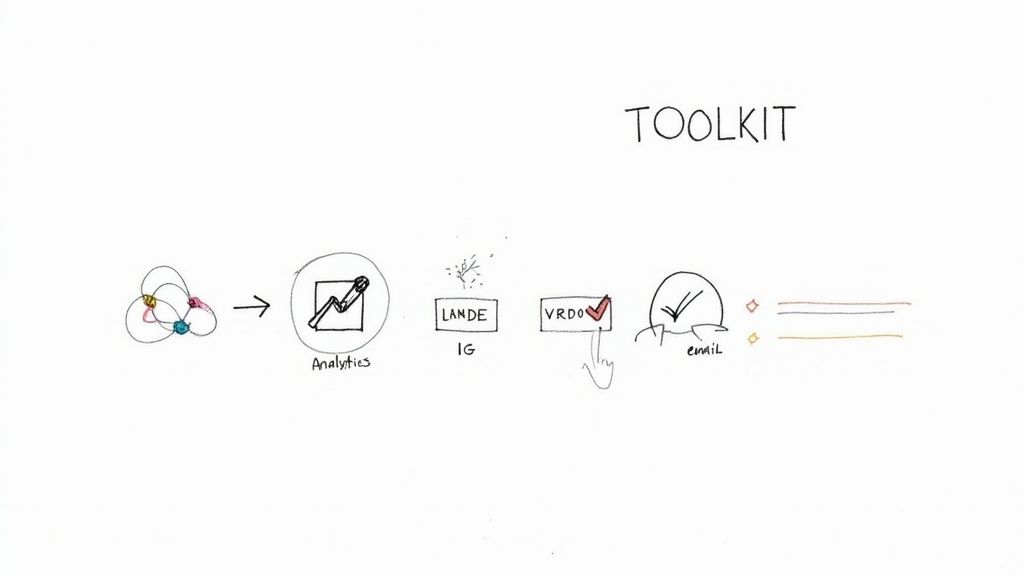
This little sketch shows how the different pieces of your toolkit—analytics, your PMS, and email platforms—should all work together to give you a complete picture.
Tracking Key Guest Actions with Events
Once GA4 is up and running, the real magic comes from tracking specific actions, which Google calls "events." By default, GA4 follows basic stuff like page views, but for a rental business, we need to go deeper. You need to know when a potential guest is showing serious booking intent.
There are two events that are absolute non-negotiables for any short-term rental site:
- view_item: This should fire every time a visitor clicks to view one of your specific property pages. It’s your direct signal for which properties are grabbing the most eyeballs.
- add_to_cart: Don't let the name fool you. For a booking engine, this event should be triggered when a guest selects their dates and hits that "Book Now" or "Reserve" button, right before checkout. This is a high-intent action that tells you someone is moving down the funnel.
Setting these up lets you see exactly where people are dropping off. Are they browsing properties but never choosing dates? Or are they starting the booking process but getting stuck before they pay? This is the kind of data that helps you find and fix the expensive leaks in your booking pipeline.
The big takeaway here is to focus on actions that directly signal an intent to book. Tracking these specific events turns your analytics from a simple traffic counter into a powerful diagnostic tool for your business.
Pinpointing Your Best Marketing Channels with UTM Tags
Ever wonder if those Instagram posts are actually leading to bookings? Or if that email newsletter you slaved over drove any real traffic? This is where UTM tags come in. They’re just small snippets of text you add to the end of a URL to tell Google Analytics exactly where a visitor came from.
Let's say you're running a summer promotion and want to link to it from a few different places. Instead of just copying and pasting the same link everywhere, you create unique, tagged links for each channel.
- For your Instagram bio:
yourwebsite.com/special-offer?utm_source=instagram&utm_medium=social&utm_campaign=summer_sale - For your email newsletter:
yourwebsite.com/special-offer?utm_source=newsletter&utm_medium=email&utm_campaign=summer_sale - For your Vrbo listing:
yourwebsite.com/special-offer?utm_source=vrbo&utm_medium=referral&utm_campaign=summer_sale
When someone clicks one of these, GA4 doesn't just see a visitor; it sees a visitor who came from your "summer_sale" campaign, specifically via Instagram, your email, or your Vrbo listing. All of a sudden, you have undeniable proof of what's working and what isn't.
You can finally see which channels send the most visitors, and more importantly, which ones send visitors who actually book. This is how you calculate your marketing ROI and make smarter decisions about where to spend your time and money. For a more detailed guide on getting this right, check out these UTM best practices to keep your tracking consistent.
With GA4 installed, your key events configured, and a solid UTM tagging strategy in place, your data collection toolkit is ready. You're no longer flying blind. Now, you have the clean, organized data you need to start the real work: uncovering the insights that will drive more direct bookings.
Uncovering Who Your Visitors Are and Where They Come From
Once you have clean data flowing into Google Analytics, you can finally start answering the big questions: Who is actually visiting my direct booking site, and how did they find me? Getting a grip on this is the first real step in making sense of your website traffic.
Every visitor takes a specific path to get to you. These paths, or "channels," each tell a story about what a potential guest is looking for.
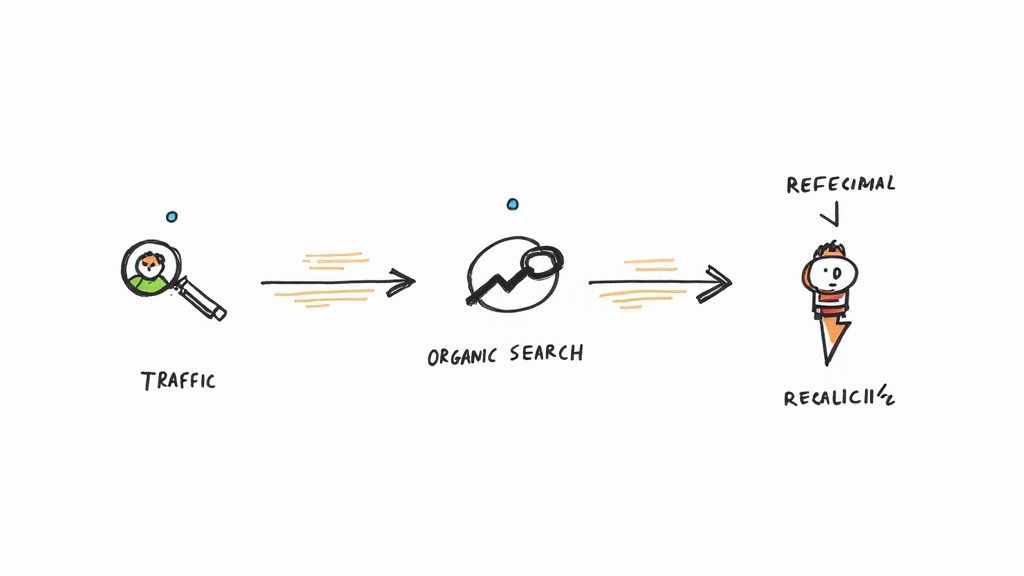
Think of your website like a physical storefront. Some people drive straight to it because they already know your address. Others see a billboard on the highway and decide to stop by. Some get a recommendation from a friend. Your analytics tool groups these arrivals into neat categories, showing you exactly which routes are bringing you the most valuable visitors.
Decoding Your Main Traffic Channels
Inside GA4, your traffic gets bucketed into a few key channels. Each one represents a completely different visitor mindset, and knowing the difference is critical for deciding where to spend your time and money.
- Organic Search: These are people who typed something into Google or Bing—like "beachfront condo rental in Destin"—and clicked on your site from the unpaid search results. This traffic is gold. The user has a specific need, and the search engine saw your site as the answer.
- Direct: This group typed your website URL right into their browser or clicked a bookmark. It's often a mix of repeat guests, people who saw your brand on a sign or brochure, or sometimes, traffic where the original source just couldn't be tracked. A high volume of direct traffic is a fantastic signal of strong brand recognition.
- Referral: When another website links to yours and someone clicks it, that’s a referral. This could be a local tourism blog that featured your properties, a partner’s website, or even an OTA listing where you've managed to sneak in a link to your direct site (if they allow it).
- Paid Search & Paid Social: Any clicks from ads you’re running on platforms like Google Ads or Facebook fall into this bucket. You're paying for every single one of these visitors, so it's absolutely vital to track the return on your investment here.
Comparing these channels is where the magic happens. You might discover that visitors from an Organic Search for "pet-friendly cabin Smokies" convert at a 10% higher rate than those from a generic Facebook ad campaign. Boom. That’s your signal to double down on SEO for those niche, high-intent keywords.
Your goal isn't just to get more traffic; it's to get more of the right traffic. Analyzing your channels helps you identify which sources bring visitors who are most likely to book, so you can focus your resources there.
Tracing the User Journey
It’s not enough to know where visitors come from. You have to understand what they do once they land on your site. Are they hitting your homepage and immediately bouncing? Or are they digging deeper, checking out multiple properties, and hitting your booking calendar?
This path is their "user journey," and finding where people drop off is how you plug expensive leaks in your booking funnel.
In GA4, you can use the Exploration reports to build simple path analyses that visualize the exact sequence of pages users visit. You might see a common, and concerning, path like this:
- Homepage
- Property Page: "The Mountain View Chalet"
- Exit
Seeing a huge number of people leave from a specific property page is a major red flag. It could mean anything from bad photos and confusing pricing to a broken availability calendar. By pinpointing these drop-off points, you can stop guessing what’s wrong and start investigating the real problem.
This kind of analysis is at the heart of effective marketing attribution—connecting the dots to understand the true value of each touchpoint. If you want to go deeper, our guide on what is marketing attribution is a great place to start.
The Mobile-First Reality
As you're slicing and dicing your traffic data, you absolutely must segment it by device: desktop, tablet, and mobile. The modern traveler is mobile. Period.
Consider this: mobile devices have exploded from representing less than 1% of global web traffic in 2009 to a projected 64.35% by mid-2025. This isn't just a trend; it's a fundamental shift. You can review these mobile traffic statistics to see the full picture.
Your website's mobile experience isn't a "nice-to-have" anymore. It's the main event.
If you notice your mobile bounce rate is way higher than your desktop rate, you have an urgent problem. It could be slow-loading images, a clunky booking form that's impossible to use on a small screen, or text that’s too small to read. Ignoring the mobile experience is like locking the front door on two-thirds of your potential guests.
Visualizing Your Path to More Bookings
Staring at a spreadsheet full of numbers is a surefire way to get overwhelmed, not find a breakthrough. The secret to analyzing website traffic isn't just about collecting data; it's about turning that data into a visual story you can understand in a glance. This is where dashboards and booking funnels change the game, transforming complex metrics into an actionable roadmap.
Think of a dashboard as the command center for your direct booking business. Instead of digging through endless reports, you get a single, consolidated view of your most critical KPIs. You don't need anything fancy, either—a simple dashboard in GA4 or a free tool like Looker Studio is all it takes to get started.

This visual approach is powerful. It immediately draws your eye to what actually matters, saving you from getting lost in metrics that don’t impact your bottom line.
Building Your First Traffic Dashboard
Every dashboard should be tailored to your specific business goals, but there are a few non-negotiables every short-term rental manager needs to track. These four metrics give you a complete health check for your website at a glance.
Your must-have dashboard widgets should include:
- Total Users and Sessions: This is your big-picture view. Are more people finding your site this month than last? Is your audience growing, shrinking, or staying flat?
- Booking Conversion Rate: Honestly, this is your most important number. It tells you exactly what percentage of visitors actually follow through and book a stay.
- Top Performing Property Pages: This widget shows you which of your rentals are getting the most eyeballs. It helps pinpoint which properties are your main traffic drivers.
- Best Performing Traffic Sources: A clean breakdown of where your guests are coming from—Organic Search, Direct, Social Media—so you know which marketing channels are actually worth your time and money.
With these widgets in place, you can start spotting trends right away. Is your overall traffic up but your conversion rate is down? That could mean you're attracting the wrong kind of visitor. Are your most popular properties not converting? That's a sign to dig into their pricing or availability.
A well-built dashboard isn't just a report; it's a diagnostic tool. It asks the critical questions for you, pointing you directly toward the areas of your business that need attention to drive growth.
Mapping the Guest Journey with a Booking Funnel
While a dashboard gives you the high-level overview, a booking funnel maps out the detailed, step-by-step journey a guest takes on your site. It visualizes the entire path from the moment someone lands on a page to the second they confirm their booking.
Crucially, it shows you exactly where people are dropping off.
Creating a funnel in GA4 is surprisingly straightforward and incredibly insightful. You just need to define the key stages a guest goes through to book. For a typical rental site, that path looks something like this:
- Viewed Property Page: The guest showed initial interest by clicking on a specific property.
- Selected Dates / Added to Cart: They’ve interacted with the booking calendar, signaling strong intent.
- Began Checkout: The guest has started entering their personal or payment details.
- Completed Booking: The final conversion—the whole reason your website exists.
When you visualize this funnel, you’ll immediately see the “leaks.” For example, you might discover that 80% of users who view a property page never even select dates. That is a massive drop-off and a huge red flag.
That single insight is gold. A leak that early in the process could point to a confusing availability calendar, unclear pricing, or even slow-loading photos that make visitors give up. Without that funnel visualization, you'd be stuck guessing. With it, you have a clear starting point for fixing the most expensive problems on your website. This is how you use data to make targeted improvements that directly grow your revenue.
Using Data to Fix Problems and Drive Bookings
Alright, you've got your dashboards set up and your booking funnel mapped out. Now the real fun begins. It's time to stop just looking at the data and start using it to fix what's broken and, ultimately, drive more direct bookings. This is where you connect the dots between a number on a screen and a real-world problem on your website.
Think of yourself as a detective. A high bounce rate on a specific property page isn't just a random metric; it's a clue. Are the photos ten years old? Is the description bland or missing crucial details? Maybe the price you're showing just doesn't line up with what guests expect for that kind of property. Every data point is a lead in your investigation.
This process creates a powerful feedback loop. You spot a potential problem in your analytics, you form a hypothesis, you implement a fix, and then you go right back to the data to measure the impact. This cycle of tweak-and-measure is how you achieve sustainable, long-term growth.
Diagnosing Common Website Problems
Your analytics will quickly start showing you patterns that point to common friction points. Instead of guessing what might be wrong, you can use your data to zero in on the exact issue and focus your energy where it'll actually make a difference.
Here are a few classic problems and the data clues that usually give them away:
High Bounce Rate on Key Property Pages: When a visitor lands on a property page and immediately hits the "back" button without clicking anything, that's a huge red flag. The page didn't deliver on its promise. This often comes down to bad photos, a confusing layout, or pricing that feels off.
Low "Add to Cart" or Date Selection Rate: Getting tons of traffic to your property pages but seeing very few people actually select dates? The culprit is almost always your booking calendar or how you display your pricing. Is the calendar a nightmare to use on a phone? Are you surprising guests with hidden fees at this stage?
High Checkout Abandonment: This one stings the most. A guest has picked a property, chosen their dates, but then vanishes before entering their credit card info. This usually points to a checkout form that's way too long, a lack of trust signals (like security badges), or not offering popular payment options like Apple Pay or PayPal.
Understanding these patterns is the first step. For instance, while a high bounce rate sounds bad, a rate between 26% and 40% can actually be pretty healthy. The key is to track this metric over time. This helps you tell the difference between a natural level of "just browsing" visitors and a genuine issue with your content's relevance.
From Diagnosis to Actionable Solutions
Once you've pinpointed a problem area, it's time to roll up your sleeves, implement a solution, and see what happens. This is how your analysis turns into more money in your pocket. A word of advice: don't try to fix everything at once. Pick one major bottleneck and focus all your attention there.
Key Takeaway: The goal here is methodical improvement, not a chaotic overhaul. Test one change at a time. Update the photos for a single property, shorten your checkout form, or make your fee structure more transparent. Then, watch your analytics like a hawk to see if that specific change actually moved the needle.
Let's walk through a real-world scenario. You're looking at your booking funnel and see a massive 60% drop-off between the "Select Dates" step and the "Begin Checkout" step. That's a leaky bucket you can't ignore.
Here’s a practical action plan:
- Hypothesis: The booking summary page is confusing guests with unexpected fees, causing them to abandon ship.
- The Fix: Redesign that summary page to be crystal clear. Make the total price impossible to miss and provide a simple, itemized breakdown of all costs (nightly rate, cleaning fee, taxes). No surprises.
- Measurement: After you launch the new design, monitor the conversion rate between those two specific steps for the next couple of weeks.
- Analysis: Did the drop-off rate improve? If it went from 60% down to 40%, you just plugged a major leak that will directly lead to more completed bookings.
This is the heart of conversion rate optimization. For more ideas on how to plug these kinds of leaks, our guide on how to improve website conversion rates has a ton of practical strategies.
By applying basic analytics in advertising principles, you can move beyond guesswork. Treat every change as a mini-experiment. This disciplined approach systematically improves the guest experience, removes friction, and ultimately convinces more visitors to book directly with you.
Got Questions About Website Traffic? We've Got Answers.
Diving into website analytics can feel like trying to learn a new language. As you start digging into your traffic, a bunch of questions are bound to pop up. Here are some straightforward answers to the ones we hear most often from short-term rental managers.
How Often Should I Actually Check My Analytics?
Finding the right rhythm for checking your data is key. You want to stay on top of performance without getting bogged down in the numbers. The best way to think about it is a tiered approach, not a rigid, one-size-fits-all schedule.
A quick weekly check-in is perfect. This five-to-ten-minute review is all about spotting major changes. See a sudden traffic drop? That could be a red flag for a technical glitch, like a broken link. Did traffic spike unexpectedly? Maybe a social media post went viral, and you'll want to double down on that kind of content.
Then, plan for a deeper dive once a month. This is your time to compare performance month-over-month and, more importantly, year-over-year. Stacking this May against last May, for example, helps you see seasonal booking trends and measure the real impact of your marketing efforts over time, cutting through the noise of weekly ups and downs.
The big exception here is if you're running paid ad campaigns. For any active Google or Facebook ads, you'll want to monitor performance almost daily. You need to make sure your budget is being spent effectively and actually bringing in a positive return.
What Is a "Good" Booking Conversion Rate?
Ah, the million-dollar question. And the honest-to-goodness answer is: it depends. You'll see industry benchmarks floating around the 2-4% mark, but fixating on that number can be misleading for your unique business.
A "good" conversion rate is completely relative to your market, your properties, and your pricing. A luxury seven-bedroom villa is going to have a very different conversion rate than a budget-friendly one-bedroom condo in a tourist hotspot. They attract different travelers with entirely different booking habits.
So, instead of chasing some universal number, your focus should be on your own continuous improvement.
- First, find your baseline: What's your current conversion rate? Get that number nailed down.
- Then, set realistic goals: Aim to improve that number bit by bit.
- Finally, measure your progress: Keep a close eye on your rate as you make changes to your site and marketing.
Lifting your conversion rate from 1% to 1.5% might not sound like a headline-grabber, but that's a massive 50% jump in direct bookings from the exact same amount of traffic. That’s a huge win that goes straight to your bottom line, without spending another dime on ads.
Why Is My Traffic High but My Bookings Are Low?
Getting tons of visitors who don't book is one of the most frustrating things a manager can face. It's a classic problem that almost always points to a mismatch—a disconnect between who is visiting your site and what they find when they arrive. It usually boils down to one of three issues.
First, pull up your booking funnel visualization in GA4. This is your most powerful diagnostic tool. Where are people dropping off? If you see a huge exit on your property pages, your photos, descriptions, or pricing might not be hitting the mark. If they bail at checkout, the process might be too clunky, or you're hitting them with surprise fees.
Second, take a hard look at your traffic sources. A flood of low-quality traffic from irrelevant blogs or poorly targeted social media ads won't ever convert. You have to make sure the visitors you’re attracting are actually your ideal guests.
Finally, check the bounce rate on your top landing pages. A high bounce rate is a dead giveaway that the page isn’t meeting the visitor’s expectations. This tells you that your marketing message—the ad, the social post, the search result—isn't lining up with the reality of what your website delivers, causing people to hit the back button almost immediately.
Ready to stop guessing and start growing your direct bookings with data? hostAI provides the intelligent tools you need to turn website traffic into revenue, from AI-powered websites to automated marketing campaigns. See how leading rental managers are doubling their direct revenue.