

google ads optimization checklist
The Ultimate 10-Point Google Ads Optimization Checklist for STR Managers in 2025
Posted on Dec 23, 2025
In the competitive short-term rental market, relying solely on Online Travel Agencies (OTAs) can erode your profits and dilute your brand identity. The key to sustainable growth and higher margins lies in driving direct bookings, and Google Ads is your most powerful tool to achieve this. But running campaigns without a clear strategy is like navigating without a map: costly, time-consuming, and ultimately ineffective. This is where a methodical approach becomes a game-changer.
This definitive Google Ads optimization checklist is engineered specifically for short-term rental managers who want to take control of their marketing. We will move beyond generic advice to provide a granular, 10-point roadmap covering everything from forensic keyword research and compelling ad copy to sophisticated audience targeting and conversion tracking. Each item is a critical lever you can pull to lower your cost-per-acquisition, increase booking volume, and build a resilient direct booking engine that puts you firmly in control of your business's destiny.
Think of this guide as your operational blueprint for turning ad spend into tangible revenue. While the following points provide a comprehensive framework, remember that execution is key. Beyond following a checklist, sustained success often requires a deeper commitment to the ongoing process of Mastering Google Ads management for real results. This checklist gives you the strategic foundation to do just that, empowering you to optimize every facet of your campaigns for maximum return on investment and a steady stream of direct, high-value bookings.
1. Keyword Research and Selection Optimization
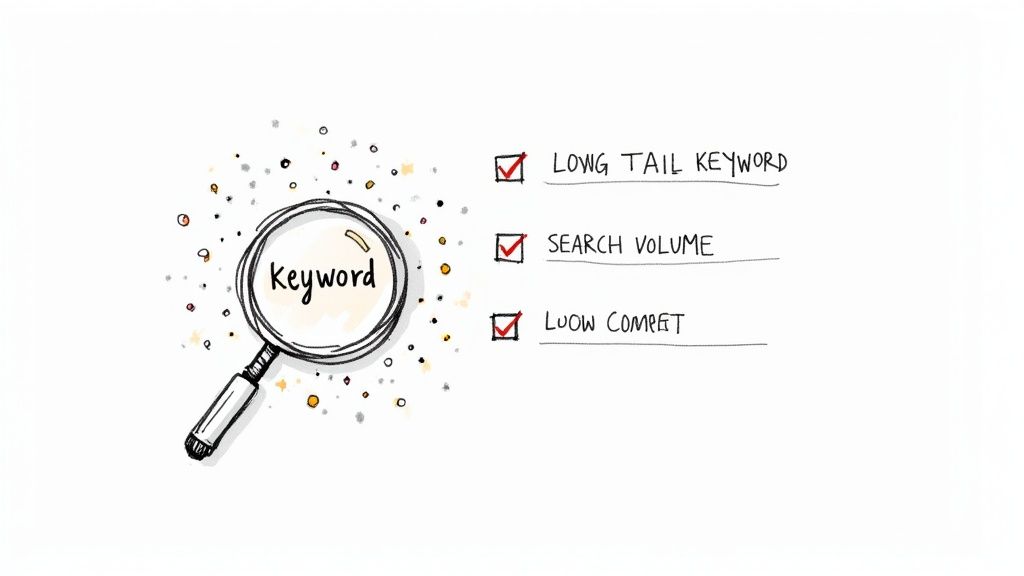
The foundation of any successful Google Ads campaign is a meticulously crafted keyword list. This isn't just about guessing what potential guests search for; it's about using data to find the exact phrases that signal high booking intent. Effective keyword research ensures your ads appear in front of travelers actively looking for properties like yours, maximizing your ad spend and minimizing wasted clicks on irrelevant searches.
For a short-term rental manager, this means moving beyond broad terms like "vacation rental" and targeting specific, high-value phrases. This strategic approach connects your properties with guests at the precise moment they are ready to book, making it a critical first step in any comprehensive google ads optimization checklist.
Why It Matters
A strong keyword strategy directly impacts your campaign's performance by improving your Quality Score, lowering your cost-per-click (CPC), and increasing your click-through rate (CTR). Targeting the right keywords ensures your ad budget is spent attracting qualified leads who are much more likely to convert into paying guests.
How to Implement It
Start by brainstorming core themes related to your properties. Think about location, property type, amenities, and nearby attractions. Use tools like Google Keyword Planner or Ahrefs to expand these themes into specific long-tail keywords. For instance, instead of just "beach house," target "pet-friendly beach house with pool in Gulf Shores." Organize these keywords into tightly-themed ad groups to ensure maximum ad relevance.
Actionable Tips for STR Managers
- Focus on Geo-Modifiers: Always include the city, neighborhood, or region. Target keywords like "downtown Chicago condo for rent" or "cabin rental near Gatlinburg."
- Highlight Key Amenities: Incorporate unique selling points into your keywords. Think "vacation rental with hot tub" or "ski-in ski-out cabin."
- Leverage Negative Keywords: Actively add negative keywords like "long-term lease," "for sale," or "jobs" to prevent your ads from showing for irrelevant searches and wasting your budget.
- Analyze Search Term Reports: Regularly review the "Search Terms" report in Google Ads to discover new high-performing keywords and identify irrelevant queries to add as negatives.
2. Ad Copy Testing and Optimization
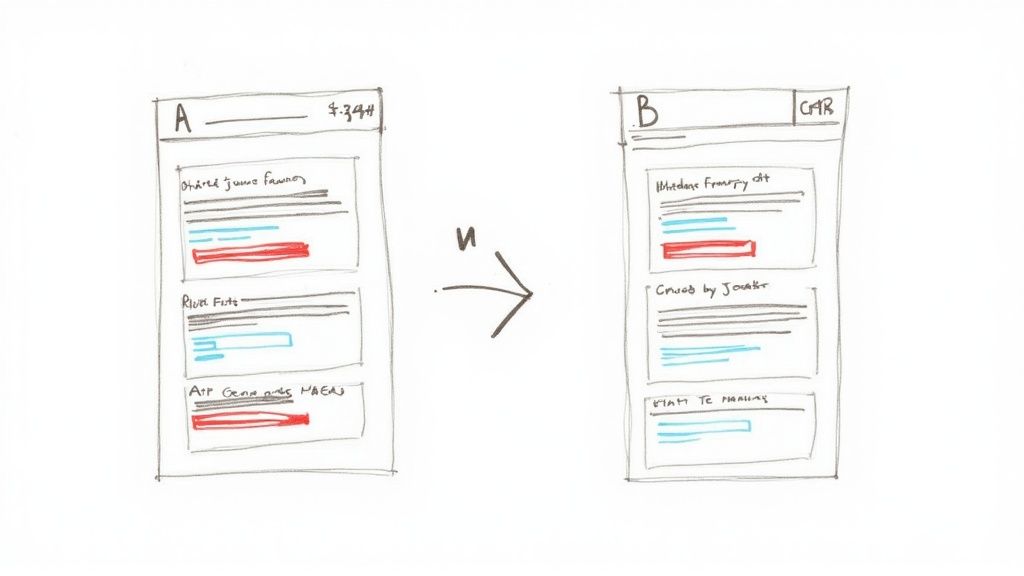
Even with the right keywords, your ads will fall flat without compelling messaging. Ad copy testing is the process of creating multiple ad variations to discover which headlines, descriptions, and calls-to-action (CTAs) resonate most powerfully with potential guests. It's a systematic approach to turning your ad from a simple listing into a high-converting magnet for bookings.
For a short-term rental manager, this means moving beyond a generic description and testing different angles that highlight your property's unique appeal. By methodically testing what works, you can significantly increase engagement and drive more direct bookings, making this a vital step in any google ads optimization checklist.
Why It Matters
Effective ad copy directly influences your click-through rate (CTR) and Quality Score. A higher CTR signals to Google that your ad is relevant, which can lead to a better ad position at a lower cost-per-click (CPC). Testing ensures you’re not leaving money on the table and are maximizing the booking potential of every impression.
How to Implement It
Leverage Google Ads' Responsive Search Ads (RSAs) feature. RSAs allow you to provide multiple headlines and descriptions, and Google's machine learning will automatically test different combinations to find the best-performing ones. Start by creating at least two distinct ad variations per ad group. Test one element at a time, such as comparing a headline focused on luxury ("5-Star Cabin Retreat") versus one focused on value ("Book 3 Nights, Get 1 Free").
Actionable Tips for STR Managers
- Test Different Value Propositions: Compare ad copy that highlights amenities ("Private hot tub & game room") against copy that focuses on the experience ("Your perfect family mountain getaway").
- Vary Your Calls-to-Action: Test direct CTAs like "Book Now" against softer ones like "Check Availability" or "View Property Photos" to see what drives the most qualified clicks.
- Incorporate Numbers and Scarcity: Use specific numbers to build credibility, such as "Sleeps 12 guests" or "Only 2 weekends left in July." Test urgency triggers like "Book your summer dates now."
- Align Ad Copy with Landing Pages: Ensure the promise made in your ad (e.g., "Pet-Friendly Beach House") is immediately visible and reinforced on the landing page the user clicks through to.
3. Quality Score Improvement
Quality Score is Google's rating of the quality and relevance of your keywords and PPC ads. It's a diagnostic tool, not a direct KPI, but it critically influences your ad rank and how much you pay per click. A high Quality Score means Google sees your ad and landing page as highly relevant and useful to the searcher, rewarding you with lower costs and better ad positions.
For short-term rental managers, improving this score is like getting a VIP discount from Google. It allows you to outrank competitors with bigger budgets simply by being more relevant to the user's search. A strong Quality Score is a cornerstone of any effective google ads optimization checklist, turning your ad spend into more efficient bookings.
Why It Matters
A higher Quality Score directly leads to a lower cost-per-click (CPC) and a better average position in the ad auction. This means you pay less to attract qualified travelers and your ads are shown more prominently. Over time, these savings and improved visibility compound, dramatically increasing your campaign's return on investment and helping you secure more direct bookings at a lower cost-per-acquisition (CPA).
How to Implement It
Improving your Quality Score involves enhancing its three core components: Expected Click-Through Rate (CTR), Ad Relevance, and Landing Page Experience. Focus on creating hyper-relevant ad groups where keywords, ad copy, and landing pages are tightly aligned. For example, a search for "pet-friendly cabin in Asheville" should trigger an ad with that exact headline, which then directs to a landing page exclusively showcasing your pet-friendly Asheville cabins.
Actionable Tips for STR Managers
- Align Keywords, Ads, and Landing Pages: Ensure the keywords in an ad group appear in the ad copy (especially headlines) and are prominently featured on the corresponding landing page.
- Create Compelling Ad Copy: Write ads that speak directly to the searcher's needs. Use strong calls-to-action like "Book Your Mountain Getaway" and highlight unique amenities to boost your expected CTR.
- Optimize Landing Page Experience: Your landing page must load quickly (under 3 seconds) and be mobile-friendly. The content should be clear, relevant, and make it easy for users to check availability or book.
- Use Specific Landing Pages: Avoid sending all traffic to your homepage. Create dedicated pages for different property types, locations, or amenities to maximize relevance.
- Monitor Score Components: Regularly check the Quality Score columns in Google Ads to identify which of the three components (CTR, relevance, or landing page) needs the most attention for each keyword.
4. Landing Page Optimization
Driving qualified traffic to your website is only half the battle; the real magic happens on your landing page. This is where a potential guest decides whether to book or to bounce. Landing page optimization is the process of refining every element of that page, from the headline to the booking button, to maximize the number of visitors who take the desired action.
For a short-term rental manager, this means creating a seamless, persuasive, and frictionless path from the ad click to a completed booking. It ensures the promise made in your ad is delivered upon, building trust and turning clicks into confirmed reservations. This step is a cornerstone of any effective google ads optimization checklist.
Why It Matters
A well-optimized landing page directly boosts your conversion rate, which in turn lowers your cost per acquisition (CPA). Google also rewards a good user experience with a higher Quality Score, which can lead to lower ad costs and better ad positions. An optimized page turns your ad spend into tangible revenue more efficiently.
How to Implement It
Start by ensuring your landing page's headline and primary message directly reflect the ad copy the visitor just clicked. The page should load quickly (under 3 seconds) and feature high-quality images or videos of your property. Simplify the booking form, asking only for essential information, and make sure your primary call-to-action (CTA) like "Book Now" is prominent and visible above the fold. For comprehensive guidance on creating effective pages, explore these landing page best practices.
Actionable Tips for STR Managers
- Maintain Message Match: If your ad says "Pet-Friendly Cabin with Hot Tub," your landing page headline should echo that exact promise.
- Use a Single, Clear CTA: Avoid clutter. Have one primary goal for the page, such as "Check Availability" or "Book Your Stay," and make that button stand out.
- Showcase Social Proof: Include guest testimonials, reviews, and star ratings prominently on the page to build immediate trust with new visitors.
- A/B Test Everything: Use tools like Optimizely or Google Optimize to test variations of your headlines, images, CTA button colors, and form lengths to see what converts best.
5. Bid Strategy and Budget Allocation Optimization
Choosing the right bid strategy and allocating your budget effectively are crucial for steering your Google Ads campaigns toward your specific business goals. This isn't about setting a daily spend and hoping for the best; it's about telling Google precisely what you want to achieve, whether that's maximizing direct bookings, achieving a specific return on ad spend (ROAS), or controlling the cost per acquisition (CPA) for each new guest.
For short-term rental managers, this means aligning your ad spend with your occupancy goals and profitability targets. A well-optimized bidding and budget strategy ensures your financial resources are deployed intelligently, driving performance where it matters most and forming a key pillar of any google ads optimization checklist.
Why It Matters
Your bid strategy directly instructs Google's algorithm on how to spend your money to achieve your objectives. An incorrect strategy can lead to overspending for minimal returns or missing out on valuable booking opportunities. Proper budget allocation, in turn, ensures that your top-performing campaigns, which attract the most qualified guests, receive the funding they need to scale successfully.
How to Implement It
Begin by defining your primary campaign goal. If your goal is to generate as many booking inquiries as possible within a set budget, a "Maximize Conversions" strategy is a good starting point. If you have specific profitability targets, implementing a "Target ROAS" strategy with conversion value tracking will be more effective. Allocate your budget based on performance, funneling more spend into campaigns and ad groups that consistently deliver high-value bookings.
Actionable Tips for STR Managers
- Establish a Baseline: Start new campaigns with Manual CPC or Enhanced CPC to gather initial performance data before switching to an automated strategy.
- Set Realistic Targets: When transitioning to automated bidding like Target CPA or Target ROAS, set your initial targets based on the campaign's historical performance from the last 30 days to avoid disrupting the learning phase.
- Allocate by Performance: Dedicate 70-80% of your budget to your proven, high-performing campaigns (e.g., those targeting your most profitable properties or locations). Reserve a 10-15% "testing budget" for new strategies or keywords.
- Use Portfolio Strategies: Group several campaigns with similar goals (e.g., all campaigns for properties in one city) under a single portfolio bid strategy to optimize performance and budget allocation across them collectively. To dive deeper into the nuances of each option, you can learn more about Google Ads bidding strategies on GetHostai.com.
6. Ad Extensions and Assets Implementation
Ad extensions, now referred to as assets, are additional pieces of information that expand your ad with more details, giving potential guests more reasons to choose your properties. They provide supplementary components like sitelinks, callouts, images, and location details, effectively increasing your ad's size on the search results page. This added real estate makes your ad more prominent and provides users with extra, relevant information without any additional cost per click.
For a short-term rental manager, this means you can showcase key property pages, highlight unique amenities like "pet-friendly" or "private pool," display your location on a map, or add a direct "call" button. Properly implementing these assets is a crucial part of any google ads optimization checklist because it directly enhances ad visibility and user engagement, encouraging more qualified clicks.
Why It Matters
Using ad assets is one of the most effective ways to improve your ad's click-through rate (CTR) and Quality Score. They make your ads more useful and prominent, which Google's algorithm rewards with better ad positions at a potentially lower cost-per-click (CPC). By providing multiple conversion pathways and key information upfront, you help travelers make faster, more informed decisions, leading to higher quality traffic and more direct bookings.
How to Implement It
Within your Google Ads account, navigate to the "Ads & assets" section and then to "Assets." Here, you can create and apply assets at the account, campaign, or ad group level. For maximum relevance, apply specific assets at the ad group level. For example, an ad group for "beachfront condos" should have image assets showing beach views and sitelinks pointing to your specific beachfront property listings, while an ad group for "mountain cabins" would feature different images and links.
Actionable Tips for STR Managers
- Implement All Relevant Assets: Maximize your ad's footprint by using Sitelinks (e.g., "Our Properties," "Amenities," "Special Offers"), Callouts (e.g., "24/7 Guest Support," "Book Direct & Save"), and Structured Snippets (e.g., Amenities: Hot Tub, Wi-Fi, Full Kitchen).
- Use Image Assets: Add high-quality, compelling photos of your properties. This is one of the most impactful assets for the travel industry, as it provides an immediate visual hook.
- Leverage Location and Call Assets: If you have a local office or want to drive phone inquiries, enable location and call assets. This is especially useful for travelers booking on mobile devices.
- Update Assets for Promotions: Keep your assets fresh by updating them for seasonal demand or special promotions, such as "Last-Minute Summer Deals" or "Book Your Ski Trip Early." To learn more about how to highlight your best features, check out these powerful callout extension examples.
7. Negative Keywords Implementation
Just as important as choosing which keywords to target is deciding which ones to exclude. Negative keywords are the gatekeepers of your campaign, preventing your ads from showing for irrelevant search queries that might sound similar but lack booking intent. This strategic filtering is a crucial, yet often overlooked, part of any effective campaign, ensuring your budget is spent only on attracting qualified traffic.
For a short-term rental manager, this means actively blocking searches from users who aren't looking to book a stay. By telling Google what not to target, you refine your audience, improve data accuracy, and protect your ad spend, making it an essential component of a complete google ads optimization checklist.
Why It Matters
Implementing a robust negative keyword list directly enhances campaign efficiency. It reduces wasted ad spend on unqualified clicks, which in turn improves your click-through rate (CTR) and conversion rate. By filtering out irrelevant traffic, you ensure your performance metrics more accurately reflect the behavior of your target audience, leading to smarter, data-driven optimization decisions.
How to Implement It
The best place to find negative keywords is within your own account. Regularly analyze the "Search terms" report in Google Ads to see the exact queries that triggered your ads. Any term that is irrelevant to your rental properties should be added as a negative keyword. You can add them at the ad group, campaign, or account level. For broader exclusions, creating shared negative keyword lists and applying them to multiple campaigns saves time and ensures consistency.
Actionable Tips for STR Managers
- Filter Out Non-Booking Intent: Add terms like "jobs," "for sale," "long-term lease," and "reviews" to avoid clicks from users not looking to book.
- Build Proactive Lists: Before launching, create a master list of common irrelevant terms. Explore comprehensive lists like this one to get a head start on your list of negative keywords.
- Use the Search Term Report Weekly: Make it a habit to review your search term report. This is the most reliable source for identifying new, irrelevant queries that are wasting your budget.
- Exclude Competing Locations: If you only operate in Gatlinburg, add nearby cities like "Pigeon Forge" or "Sevierville" as negatives to focus your budget on the most relevant geographic area, unless you are targeting those as well.
8. Campaign Structure and Segmentation Optimization
A disorganized Google Ads account is an inefficient one. Proper campaign structure and segmentation are the backbone of a manageable and scalable advertising strategy, allowing you to control budgets, target messages, and analyze performance with precision. Without a logical hierarchy, you risk diluting your ad spend and making it nearly impossible to identify what’s truly driving bookings.
For short-term rental managers, this means organizing campaigns in a way that mirrors your business structure. A well-segmented account enables you to tailor ads and bids based on property type, location, or even seasonality. This methodical approach is a non-negotiable part of any serious google ads optimization checklist, turning a chaotic account into a high-performing booking engine.
Why It Matters
A strategic campaign structure directly improves relevance, which boosts your Quality Score and lowers your cost-per-click (CPC). It simplifies performance analysis, making it easy to allocate your budget to the most profitable segments of your business. This organization ensures that potential guests see the most relevant ad for their specific search, significantly increasing the likelihood of a click and a subsequent booking.
How to Implement It
Start by mapping out your property portfolio. The most common and effective way to segment is by location. Create separate campaigns for each major city, region, or even neighborhood you operate in. Within each campaign, create tightly-themed ad groups for specific property types (e.g., "Cabins," "Condos," "Beachfront Homes") or key features (e.g., "Pet-Friendly," "With Pool"). This ensures your ads for a "downtown Chicago condo" aren't competing with your ads for a "Gatlinburg cabin."
Actionable Tips for STR Managers
- Separate Brand vs. Non-Brand: Create a dedicated campaign for searches of your company name. This protects your brand from competitors and typically yields a very high return on ad spend.
- Segment by Property Type: If you manage diverse properties, create distinct campaigns for "luxury villas," "budget-friendly apartments," or "family-sized cabins" to tailor messaging and bids.
- Use Geographic Segmentation: A campaign for "Myrtle Beach rentals" should be separate from "Hilton Head rentals." This allows you to set location-specific budgets and bidding strategies.
- Maintain Naming Conventions: Implement a consistent naming system (e.g., [Location] - [Property Type] - [Match Type]) to keep your account organized and easy to navigate as you scale.
9. Audience Targeting and Remarketing Optimization
Beyond keywords, Google Ads offers powerful audience targeting features that allow you to reach potential guests based on their online behaviors, demographics, and past interactions with your website. This means you can show highly relevant ads not just to people actively searching, but also to those who have shown interest in travel or have visited your property listings before, effectively keeping your brand top-of-mind.
For short-term rental managers, this opens the door to re-engaging valuable "window shoppers" and finding new travelers who fit the profile of your ideal guest. By layering audiences onto your campaigns, you transform broad targeting into a precise, high-return strategy, making it an essential component of any google ads optimization checklist.
Why It Matters
Effective audience targeting and remarketing significantly increase conversion rates by delivering personalized messages to users who are already familiar with your brand or are actively in the market for a vacation rental. This approach boosts return on ad spend (ROAS), builds brand recall, and helps guide potential guests from initial interest to a confirmed booking.
How to Implement It
Start by installing the Google Ads tag on your website to begin building remarketing lists. Segment these lists based on user behavior, for example, visitors who viewed specific property pages, those who started but didn't complete the booking process, or all visitors from the last 30 days. Use these lists to run targeted Display or Search campaigns. Additionally, explore in-market audiences (e.g., "Travel/Hotels & Accommodations") and custom audiences built around competitor websites or travel blogs to find new, high-intent users.
Actionable Tips for STR Managers
- Create Property-Specific Remarketing: Set up remarketing lists for each of your key properties. If someone viewed your "Seaside Cottage," show them display ads featuring beautiful images of that exact cottage.
- Target "In-Market for Travel": Layer Google's "In-Market" audiences onto your search campaigns to bid more aggressively on users Google has identified as actively planning a trip to your destination.
- Build Lookalike Audiences: Upload a list of your past guests (with their consent) to create a "Similar Audience" that targets new users with characteristics matching your best customers.
- Segment by Engagement: Create separate remarketing campaigns for different user segments. For example, offer a small discount to users who abandoned the booking cart, but run general brand-awareness ads for all website visitors from the past 90 days.
10. Conversion Tracking and Attribution Optimization
Effective Google Ads campaigns are built on data, not guesswork. Implementing comprehensive conversion tracking is how you measure what truly works, connecting your ad spend directly to valuable guest actions like bookings. This involves accurately tracking every step of the customer journey, from the initial ad click to the final reservation confirmation, giving you the insights needed to make profitable decisions.
For a short-term rental manager, this means knowing precisely which campaigns, ad groups, and keywords are driving actual revenue. Without robust tracking, you're essentially flying blind, unable to distinguish between campaigns that fill your calendar and those that drain your budget. This makes conversion tracking a non-negotiable part of any serious google ads optimization checklist.

Why It Matters
Accurate conversion tracking is the engine behind Google's smart bidding algorithms. By feeding the system precise data on which clicks lead to bookings, you enable strategies like Target ROAS and Maximize Conversion Value to automatically optimize for profitability. It clarifies your return on investment, validates your marketing efforts, and provides the data needed for continuous campaign improvement.
How to Implement It
Start by defining your primary conversion action, which for most STR managers is a completed booking. Implement the Google Ads conversion tag or import goals from Google Analytics 4 (GA4) on your booking confirmation or "thank you" page. Ensure you are passing back dynamic values, such as the total booking value and transaction ID, to measure ROAS accurately. For phone-based inquiries, use call tracking solutions to attribute bookings made over the phone back to the specific ads that drove them.
Actionable Tips for STR Managers
- Use Google Tag Manager (GTM): Manage all your tracking codes (Google Ads, GA4, etc.) from one central dashboard without needing to edit your website's code for every change.
- Track Micro-Conversions: Monitor valuable secondary actions like "checking availability," "viewing property gallery," or "subscribing to newsletter" to understand user engagement.
- Implement Enhanced Conversions: Use consented, first-party customer data (like email addresses) to improve the accuracy of your conversion measurement, even when cookies are not available.
- Set Appropriate Conversion Windows: A 30-day click-through conversion window is a good starting point, as guests often take time to research and compare before booking.
- Audit Your Tracking Quarterly: Regularly test your tracking setup to ensure data is being collected correctly and there are no discrepancies between Google Ads and your booking platform.
10-Point Google Ads Optimization Comparison
| Item | Implementation complexity | Resource requirements | Expected outcomes | Ideal use cases | Key advantages |
|---|---|---|---|---|---|
| Keyword Research and Selection Optimization | Medium — research and ongoing updates | Keyword tools (Planner, SEMrush, Ahrefs), analyst time | Higher relevance & CTR; better targeting | New campaigns, market entry, SEO/PPC alignment | Precise intent targeting; reduced wasted spend |
| Ad Copy Testing and Optimization | Medium–High — iterative A/B/multivariate | Sufficient traffic, copywriters, testing tools | Improved CTR and conversion rates over time | Traffic-rich accounts, creative optimization | Data-driven messaging; higher CTR and QA insights |
| Quality Score Improvement | Medium — cross-channel coordination | Landing page dev, analytics, ad optimization | Lower CPC, improved ad rank and profitability | Competitive keyword campaigns | Reduced CPCs; compounding account benefits |
| Landing Page Optimization | High — design + testing cycles | Designers, CRO tools, hosting, analytics | Higher conversion rate and lower CPA | Lead gen, e‑commerce, promo landing pages | Direct revenue impact; better user experience |
| Bid Strategy and Budget Allocation Optimization | Medium — strategic setup & monitoring | Conversion tracking, historical data, ML-enabled tools | Improved ROAS or lower CPA; scalable spend | Accounts with conversion volume; scaling budgets | Automated efficiency; real-time budget shifts |
| Ad Extensions and Assets Implementation | Low — asset creation and setup | Asset copy/design, feed/inventory connections | Higher ad real estate and CTR uplift | Retail, local, promo-driven campaigns | Increased visibility; alternative conversion paths |
| Negative Keywords Implementation | Low–Medium — ongoing maintenance | Search term reports, analyst time | Reduced wasted spend; higher conversion rates | High-volume search accounts, brand protection | Cuts irrelevant traffic; improves efficiency |
| Campaign Structure and Segmentation Optimization | Medium — planning and setup | Account planning time, naming conventions | Better bid control and clearer reporting | Complex catalogs, multi-region or multi-audience | Precise bidding; easier analysis and testing |
| Audience Targeting and Remarketing Optimization | Medium — audience build and messaging | Audience data, tagging/pixels, creative | Higher conversion rates; improved remarketing ROI | E‑commerce remarketing, B2B nurture, prospecting | Personalized reach; re-engagement of high-intent users |
| Conversion Tracking and Attribution Optimization | High — technical implementation | GTM/GA4, CRM integration, developer support | Accurate ROI, value-based optimization, better bidding | Any advertiser needing true performance measurement | Enables data-driven bidding and cross-channel attribution |
From Checklist to Competitive Edge
You’ve navigated the intricate landscape of Google Ads, armed with a comprehensive ten-point checklist designed to transform your campaigns into a high-performance booking engine. From the foundational pillars of keyword research and campaign structure to the nuanced arts of ad copy testing and audience remarketing, this guide has laid out the strategic blueprint. However, the true power of this Google Ads optimization checklist isn't in simply reading it; it lies in its consistent and disciplined application.
This is not a "set it and forget it" roadmap. It's a dynamic framework for continuous improvement. Mastering Google Ads is an iterative process, a cycle of implementing changes, meticulously measuring their impact, and refining your approach based on real-world data. Each item on this checklist represents a lever you can pull to enhance performance, reduce wasted ad spend, and ultimately drive more direct, commission-free bookings for your short-term rentals.
The Cumulative Effect of Incremental Gains
It’s easy to look at a single optimization, like adding a new negative keyword or tweaking a headline, and dismiss it as a minor adjustment. But the secret to dominating your market lies in the cumulative effect of these small wins. Improving your Quality Score by a single point lowers your cost-per-click. Refining your landing page increases your conversion rate by half a percent. Segmenting your audience allows for a slightly more relevant ad.
Individually, these are small victories. Compounded over thousands of impressions and hundreds of clicks each month, they create a formidable competitive advantage. Your competitors who neglect these details will see their costs creep up and their returns diminish, while your campaigns become increasingly efficient, profitable, and scalable. This systematic process turns your advertising from a speculative expense into a predictable and powerful revenue stream.
Actionable Next Steps: From Theory to Practice
Information without action is just noise. To translate this checklist into tangible results, you must commit to a structured optimization cadence. Here are your immediate next steps:
- Conduct a Full Account Audit: Use this checklist as your guide. Go through your account, item by item, and benchmark your current setup against these best practices. Identify the most significant gaps and prioritize them based on potential impact. Areas like conversion tracking and campaign structure are often the best places to start.
- Establish a Testing Calendar: Don't try to change everything at once. Create a simple calendar to schedule your tests. Dedicate one week to A/B testing ad copy, the next to experimenting with a new bidding strategy, and another to refining your remarketing audiences. A structured approach ensures you can isolate variables and attribute results accurately.
- Build Your Optimization Flywheel: Treat this checklist not as a one-time task but as a recurring loop. Regularly revisit each of the ten core areas. Keyword lists need refreshing, ad copy can always be improved, and new audience segments will emerge. The goal is to build momentum, where each optimization feeds insights into the next, creating a self-reinforcing cycle of growth and efficiency.
Ultimately, this Google Ads optimization checklist provides the "what" and the "how," but the "when" and the "why" are driven by your commitment to excellence. By embracing this culture of continuous improvement, you move beyond simply participating in the auction; you begin to master it, securing a dominant position in your market and building a more resilient, profitable short-term rental business.
Ready to put your Google Ads on autopilot and ensure every best practice from this checklist is implemented flawlessly? hostAI’s platform leverages AI to automate campaign creation, management, and optimization specifically for short-term rental managers. Stop spending hours in Google Ads and let our technology build a high-performing, direct booking engine for you. Explore how hostAI can transform your advertising from a complex task into your most powerful asset.