
what is a utm link
What is a utm link? A Quick Guide to Tracking Campaigns
Posted on Jan 31, 2026
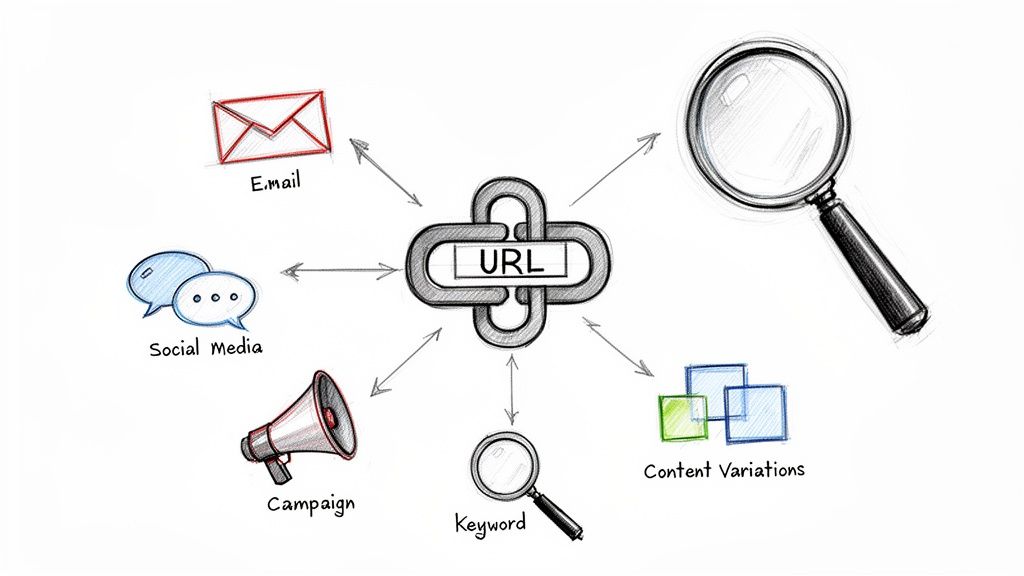
So, what exactly is a UTM link? Think of it as a regular web link with a special tracking code tacked on the end. This code works like a digital name tag, telling your analytics tools exactly where a visitor came from, how they got to your site, and even why they clicked that specific link.
Decoding Your Digital Footprints
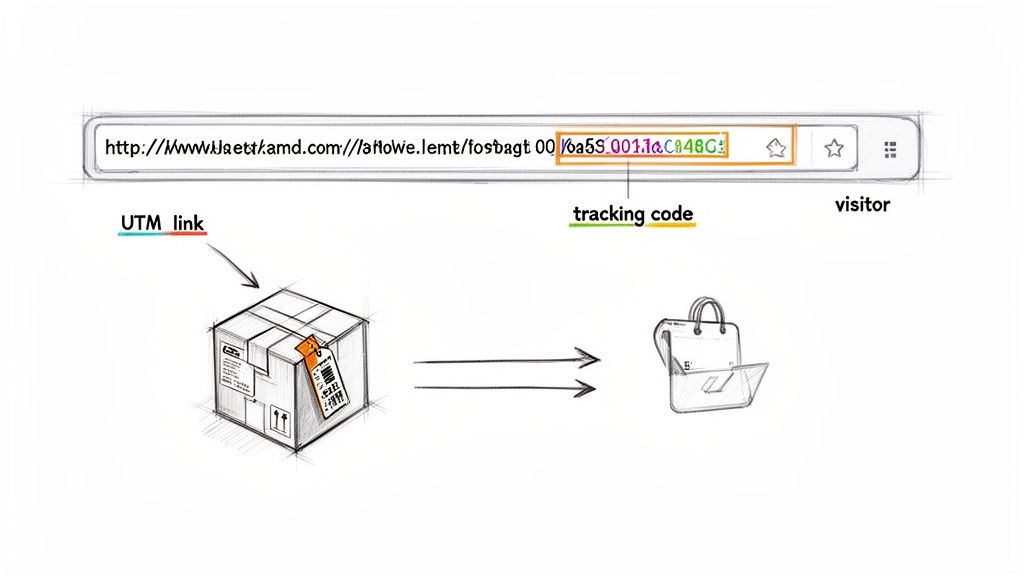
Let's say you send out postcards, run a Facebook ad, and blast an email newsletter—all promoting the same summer special for your rental property. Without tracking, every booking that comes in looks identical. You know people are booking, which is great, but you have no clue which marketing effort is actually pulling its weight.
This is where UTM links completely change the game, turning your marketing from pure guesswork into a data-driven strategy.
By adding a few simple tags to your links, you can finally answer those critical business questions:
- Did that expensive influencer collaboration actually drive any bookings?
- Is our email list more valuable than our social media followers for filling rooms?
- Which of our two ad designs performed better?
The Power of Knowing Where Clicks Come From
To really get the value of UTM links, it helps to understand the bigger picture of marketing attribution—the science of connecting your marketing actions to real results. UTM links are the foundational tool for collecting this crucial data. They draw a clear line from a specific click to a confirmed booking, giving you undeniable proof of what's working and what's not.
A UTM link, short for Urchin Tracking Module link, is just a customized URL with specific parameters that track the exact source, medium, and campaign driving traffic to your website. These tags were introduced way back by Google's predecessor software and have been a core part of Google Analytics since 2005. They provide incredibly granular insights into where your guests are coming from.
Essentially, these links turn every single campaign into a measurable experiment. They give you the clarity you need to stop wasting money on channels that don’t deliver and double down on the ones that actually fill your booking calendar.
The 5 Essential UTM Parameters Explained
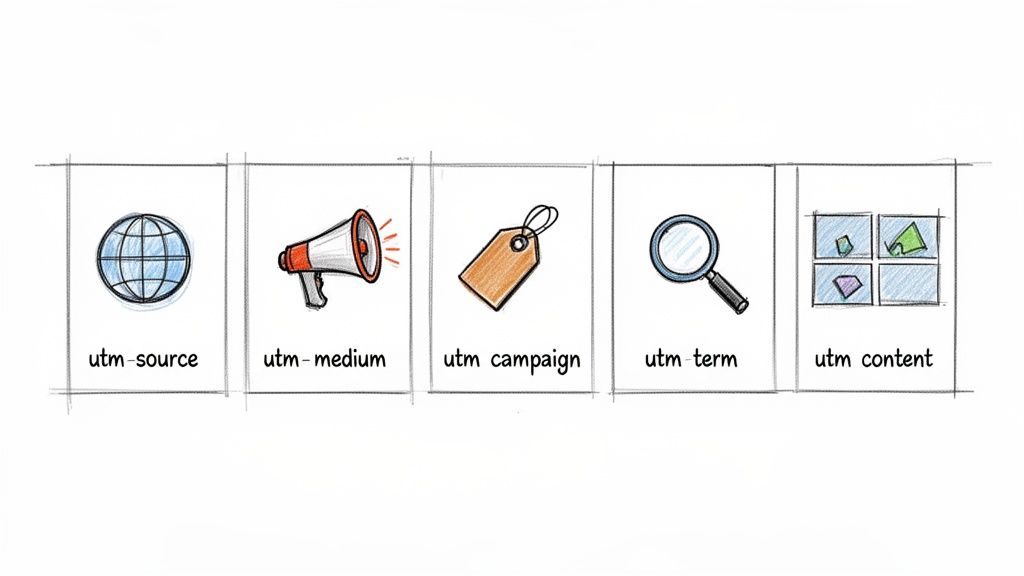
To really get what a UTM link does, you have to break it down into its core components. These five parameters are the building blocks that tell the story behind every single click. Think of them like fields on a shipping label—each one provides a critical piece of information about your website traffic's journey.
While only three are technically required, using all five gives you the richest, most detailed picture of your marketing performance. Let’s unpack each one with some real-world examples for a short-term rental business.
Utm_source: The Where
The utm_source parameter is the easiest to wrap your head around. It answers one simple but vital question: Where is my traffic coming from? This is the specific platform, website, or newsletter that sent the visitor your way.
It’s all about identifying the origin. If your direct booking site is the final destination, the source is where the trip began.
- STR Example: You’re running a Facebook ad campaign to promote your new beachfront cabin. In this case, your source is
utm_source=facebook. - STR Example: You send a promotional email to your past guest list using Mailchimp. Your source would be
utm_source=mailchimp.
Utm_medium: The How
Next up is utm_medium, which explains how the visitor got to you. It describes the marketing channel or the general type of link they clicked. This adds an important layer of context to the source, helping you sort your traffic into broader categories.
Key Takeaway: While
utm_sourcetells you the specific place (e.g., Google),utm_mediumtells you the method (e.g., organic search). This distinction is critical for keeping your analytics clean and easy to read.
Common mediums for a rental manager would include:
- social: For organic posts on platforms like Instagram or Pinterest.
- email: For links clicked within your newsletters or automated booking reminders.
- cpc: Stands for "cost-per-click" and is used for paid advertising like Google Ads.
- referral: For links from a partner's website, like a local travel blogger who featured your property.
For instance, a click from your paid Facebook ad would be utm_medium=cpc, but a click from a regular, unpaid post on your Facebook page would be utm_medium=social. This helps you easily separate your paid campaigns from your organic social media efforts.
Utm_campaign: The Why
The utm_campaign parameter gets to the heart of your strategy by answering: Why are we running this marketing effort in the first place? This tag ties all your different links—from emails, ads, and social posts—back to a single, overarching promotional initiative. It’s how you group and measure the success of a specific marketing push.
This is arguably the most important parameter for measuring your return on investment. Without it, you can't accurately compare the performance of your "Summer Getaway" promotion against your "Winter Ski Special."
Here are a few campaign names you might use for your STR business:
utm_campaign=summer_getaway_2024utm_campaign=last_minute_july_dealutm_campaign=influencer_collab_mountainview
Utm_term and Utm_content: The Specifics
Finally, we have two optional but incredibly powerful parameters for digging into the finer details.
Utm_term is typically used to track the specific keywords you're bidding on in a paid search campaign. If you're running Google Ads, you might use this to see which search terms are driving bookings, like utm_term=oceanfront_cabin or utm_term=pet_friendly_rental.
Utm_content helps you differentiate between links that point to the exact same URL from within the same campaign. This makes it perfect for A/B testing. For example, you could run a Facebook ad with two different images, labeling them utm_content=blue_sofa_image and utm_content=beach_view_image to see which visual generates more clicks and, ultimately, more direct bookings.
How to Build and Use UTM Links Correctly
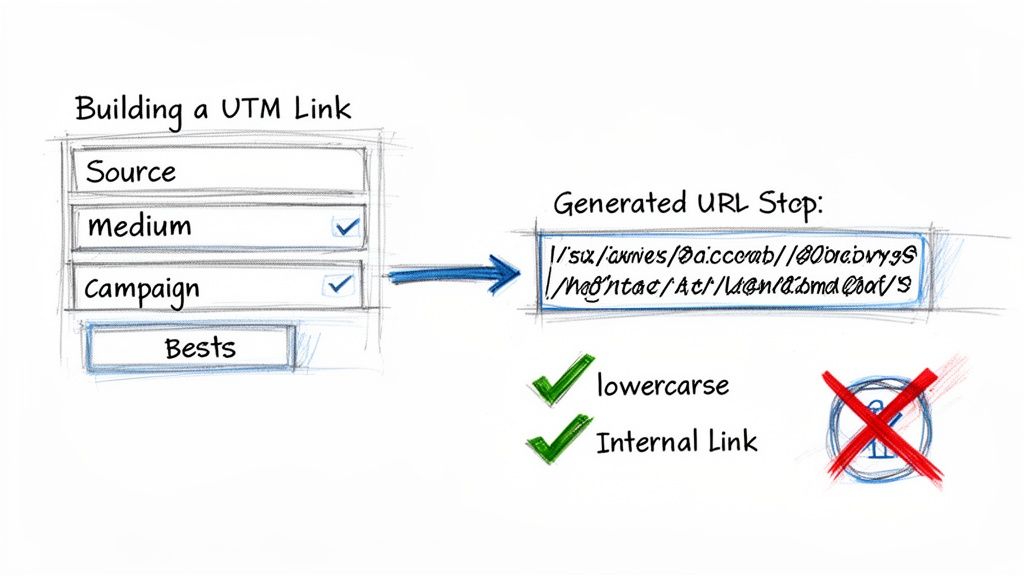
Alright, you get the theory behind the parameters. Now, let's get our hands dirty and actually build one. Creating your own UTM links is surprisingly easy, especially since there are free tools that handle all the tricky formatting for you. No need to memorize syntax—just plug in your values and go.
The most common tool for the job is Google's Campaign URL Builder. It’s a simple form where you drop in your website URL and fill out the fields for your five UTM parameters. As you type, it generates a perfect, ready-to-use URL that you can copy and paste anywhere.
A Step by Step Guide to Creating Your First UTM Link
Let's walk through building a UTM link for a hypothetical "Summer 2024" social media campaign. Say we're promoting a new beachfront property.
Grab Your Base URL: This is just the regular web address of the page you want to send people to. For our example, that's
https://your-rental-website.com/beachfront-property.Open Google's Campaign URL Builder: Head over to the free tool to get started.
Fill in Your Parameters:
- Website URL:
https://your-rental-website.com/beachfront-property - Campaign Source (utm_source):
facebook - Campaign Medium (utm_medium):
social - Campaign Name (utm_campaign):
summer_getaway_2024 - Campaign Content (utm_content):
video_ad_1
- Website URL:
As you fill this out, the builder instantly spits out your complete UTM link right there on the page. Just copy it, and you're ready to pop it into your Facebook ad. It's that simple.
Naming Conventions: The Secret to Clean Data
Here’s where a lot of people trip up. The real magic of UTMs isn't just using them; it's using them consistently. Without a clear set of naming rules, your analytics reports will turn into a jumbled mess that’s nearly impossible to decipher. Think of it like organizing a library—if you don't have a system, finding anything is a nightmare.
Follow these simple rules to keep your data pristine:
- Always Use Lowercase: This is a big one. Google Analytics is case-sensitive, so it sees
Facebookandfacebookas two completely different sources. Sticking to lowercase prevents your data from getting split up. - Use Underscores or Hyphens, Not Spaces: URLs can't handle spaces. To separate words, always use
_or-. For example, your campaign name should besummer_sale, neversummer sale. - Be Consistent and Descriptive: Create a naming convention and—this is key—write it down for your team. If you call a campaign
summer_promo_24one day andsummer24_dealthe next, they'll show up as separate line items in your reports. That makes it impossible to see the campaign's total impact.
Critical Insight: The biggest mistake marketers make isn't failing to use UTMs, but failing to use them consistently. A well-defined naming system is the bedrock of reliable marketing analytics and accurate ROI calculation.
Untracked campaigns are one of the biggest money pits in marketing. In major markets where the short-term rental industry thrives, this oversight costs millions. In fact, over 30% of campaigns lack proper UTM markup, which means their true return on investment is completely invisible. You can dive deeper into this topic in a thorough UTM link builder guide.
This is why getting UTM links right isn't just a "best practice"—it's absolutely essential for your bottom line.
Tracking UTM Performance to Maximize Bookings
You’ve built your UTM links. Your campaigns are live. Now for the moment of truth: connecting all those clicks to actual bookings and revenue.
All that data you meticulously tagged in your URLs flows directly into your Google Analytics account. It’s sitting there, waiting to tell you a story about what’s really working and what’s just noise.
Think of Google Analytics as your mission control. It takes the raw data from your UTM parameters and organizes it into clear, actionable reports. Instead of seeing a vague jumble of website visits, you can now pinpoint exactly which marketing efforts are delivering the goods.
This is where you graduate from just counting clicks to actually tracking profits. Once you know how to read these reports, you can finally prove the value of your marketing spend and make much smarter bets on where to invest your time and money next.
Finding Your UTM Data in Google Analytics
Diving into Google Analytics can feel a little intimidating at first, but finding your campaign data is actually pretty straightforward once you know where to look. The main report you'll live in is the Traffic Acquisition report.
Here’s the quick path to get there in Google Analytics 4 (GA4):
- From the left-hand menu, click on the Reports icon.
- Look for the "Life cycle" section and expand the Acquisition dropdown.
- Click on Traffic acquisition. Boom, you're in.
This report shows you where your website visitors are coming from. To see your UTMs in action, you just need to change the primary dimension. By default, it’s probably showing "Session default channel group." Just click the little dropdown arrow and select "Session source / medium".
Want to see your campaign names? Click the blue "+" button to add a secondary dimension and choose "Session campaign." Now you're seeing the full picture.
Pro Tip: Don't do this every single time. Save this view as a custom report. By creating a report that automatically shows your key campaigns, you can check performance in seconds without fiddling with filters.
Translating Data into Business Decisions
Seeing the data is one thing. Using it to grow your direct bookings is the real goal. This is where your UTM strategy pays off, helping you answer the critical questions that directly impact your bottom line.
Let's say your report shows that your summer_getaway_2024 campaign drove 500 sessions from your Facebook ads and 300 sessions from your email newsletter. At first glance, Facebook looks like the winner, right? More traffic is always better.
But then you look at conversions—actual, completed bookings. You might discover that the email traffic converted at a healthy 5%, resulting in 15 direct bookings. Meanwhile, the Facebook traffic only converted at 1%, bringing in just 5 bookings.
This is the power of a what a UTM link provides. It reveals that your email list, while driving less traffic, is way more valuable for generating actual revenue. This kind of insight allows you to confidently double down on your email marketing for the next promotion. You can stop guessing and start building a marketing machine that truly maximizes direct bookings.
For a deeper understanding of setting this up, check out our guide on the Google Analytics tracking code.
Real-World UTM Strategies for Rental Managers
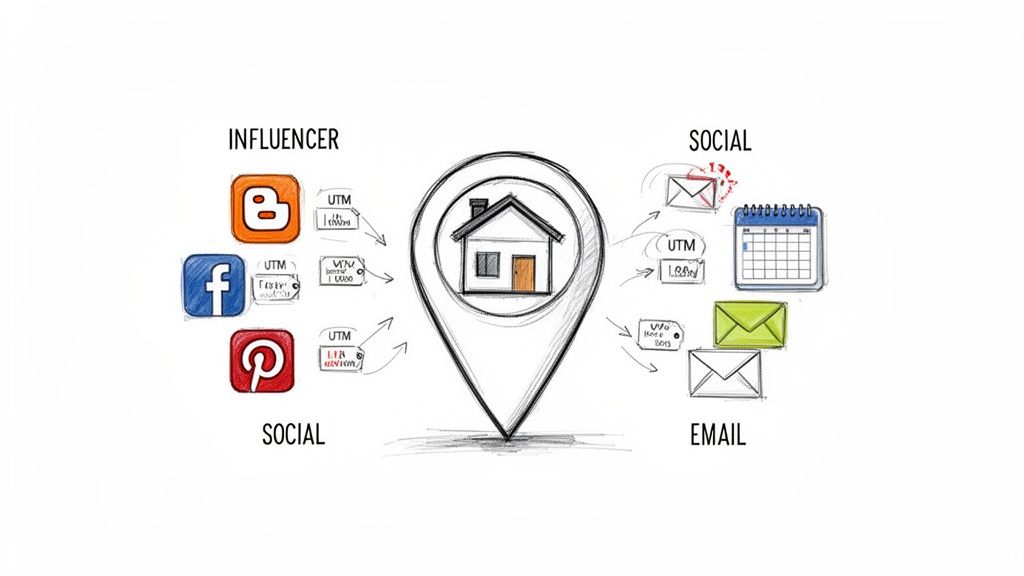
Knowing what the pieces of a UTM link are is one thing, but the real magic happens when you start applying them to your everyday marketing. Let's move past the theory and dive into how these little bits of code solve the big challenges property managers face, turning vague questions into clear, actionable answers.
These scenarios show you exactly how to pinpoint which strategies are actually driving direct bookings. This is how you start investing your marketing budget with total confidence.
Scenario 1: Tracking Influencer ROI
Imagine you’ve teamed up with a local travel blogger to promote your mountain cabin. They’re going to drop a link to your booking page in their latest article and share it on their Instagram stories. How do you know if the collaboration is actually paying off?
Simple. You give them a unique UTM link for each spot.
- For their blog post:
yourwebsite.com/cabin?utm_source=local_blogger&utm_medium=referral&utm_campaign=blogger_collab_july - For their Instagram story:
yourwebsite.com/cabin?utm_source=local_blogger&utm_medium=social&utm_campaign=blogger_collab_july
Now, when you check your analytics for the blogger_collab_july campaign, you can see precisely how many clicks—and more importantly, how many confirmed bookings—came from their work. You can even compare the performance of their blog post (referral) against their Instagram story (social).
Business Insight: UTMs transform influencer marketing from a fuzzy "brand awareness" play into a measurable revenue driver. You can finally calculate the exact ROI and decide if that collaboration was worth every penny.
Scenario 2: Comparing Social Ad Performance
You just listed a brand-new, pet-friendly property and want to figure out where to find guests with furry friends. You decide to run paid ads on both Facebook and Pinterest, with both ads pointing to the new property's booking page.
To find the winner, you create two distinct UTM links.
- For the Facebook Ad:
yourwebsite.com/pet_friendly?utm_source=facebook&utm_medium=cpc&utm_campaign=new_pet_listing - For the Pinterest Ad:
yourwebsite.com/pet_friendly?utm_source=pinterest&utm_medium=cpc&utm_campaign=new_pet_listing
Notice the utm_campaign is the same, which groups all the results under one promotion. But the utm_source is different. This lets you directly compare which platform delivered more bookings for the same amount of ad spend. No more guesswork.
Scenario 3: Optimizing Your Email Marketing
You have an automated email sequence designed to turn inquiries into bookings. It kicks off with a welcome email, followed by another email three days later with a special offer. But which email is actually doing the heavy lifting?
You can find out by using a different utm_content tag for each link.
- Welcome Email Link:
yourwebsite.com/booking?utm_source=hostmail&utm_medium=email&utm_campaign=inquiry_follow_up&utm_content=welcome_email - Offer Email Link:
yourwebsite.com/booking?utm_source=hostmail&utm_medium=email&utm_campaign=inquiry_follow_up&utm_content=3day_offer
This setup instantly reveals which message is more effective at converting leads. Armed with that knowledge, you can start refining your copy and offers to get even better results.
For those ready to really nail down their tracking, digging into UTM best practices will make sure your data is always clean, reliable, and telling you the right story.
Common Questions About UTM Links
As you start weaving UTM tracking into your marketing, a few questions always seem to pop up. Let's tackle the most common ones we hear from short-term rental managers so you can use these tools with total confidence.
Can I Use UTM Links on Social Media Bio Links?
Absolutely! In fact, you definitely should. Dropping a UTM-tagged link into your Instagram, Facebook, or TikTok bio is one of the smartest moves you can make. It's the only real way to measure how much traffic—and how many direct bookings—are coming from people clicking that all-important link.
For instance, you could build a link with these parameters to see exactly what your Instagram profile is doing for you:utm_source=instagramutm_medium=socialutm_campaign=profile_link
Just like that, your bio link goes from being a simple signpost to a measurable marketing asset.
Do UTM Parameters Affect My Website SEO?
Nope, you don't need to worry about UTM parameters hurting your website's SEO. Search engines like Google are smart enough to recognize these tags for what they are: tracking codes. They understand that the URL with and without the UTMs points to the exact same page, so they just ignore the extra bits when crawling and indexing your site.
There is one critical rule, though: never use UTMs for internal links on your own website. If a visitor clicks a UTM-tagged link from one of your pages to another, it can overwrite the original source data in your analytics. This creates a messy, inaccurate picture of how they found you in the first place. If you're looking to track what guests do on your site, you can learn more about analyzing website traffic using other built-in analytics features.
How Is a UTM Link Different From a URL Shortener?
This is a great question. A UTM link and a URL shortener like Bitly do two different, but very complementary, jobs. A UTM link’s sole purpose is to add tracking data to a URL. A URL shortener's job is to take a long, messy URL—often one packed with UTM parameters—and make it short, clean, and much more shareable.
The best practice is to use them together. First, build your complete URL with all the specific UTM parameters you need. Then, paste that entire long link into your URL shortener. You get a tidy, clickable link that still carries all of your valuable tracking information.
What Happens If I Make a Mistake in My UTM Tagging?
Simple mistakes like typos or inconsistent capitalization (e.g., facebook vs. Facebook) can cause big headaches. Your analytics platform will see them as two completely separate traffic sources, which shatters your data into confusing little pieces. This makes accurate analysis almost impossible and pretty much defeats the whole purpose of tracking.
Unfortunately, you can't go back in time and fix historical data once it's been recorded incorrectly. This is exactly why establishing and sticking to a strict naming convention from day one is so important. If you do spot an error, just make sure to correct your links for all future campaigns to keep your data clean and reliable moving forward.
Ready to turn these insights into more direct bookings? hostAI provides the tools you need to automate your marketing and track your success with precision. Discover how we can help you grow at https://gethostai.com.