
check website with different browsers
Boost Conversions: check website with different browsers to secure bookings
Posted on Jan 26, 2026
When you're checking your website, you absolutely have to test its appearance, functionality, and performance across the big players like Chrome, Safari, and Edge. This whole process is called cross-browser testing, and it's all about making sure every potential guest gets a smooth booking experience, no matter what device or browser they're using.
Think about it: a broken "Book Now" button on an iPhone isn't just a tiny glitch. It's lost revenue.
Why Browser Testing Is Critical for Your Booking Revenue

Picture this: you launch your gorgeous new vacation rental site, only to find out later that a huge chunk of your potential guests can't even book because the site looks completely broken on their phone. This is a classic case of what we call browser fragmentation. Basically, every browser reads and displays code just a little differently. What looks perfect on Google Chrome might be a total mess on Apple's Safari.
For STR managers, ignoring this is like willingly turning away paying customers at the door. The goal is simple: give everyone a consistent, trustworthy experience that makes them confident enough to book. That's what directly impacts your bottom line.
The Financial Impact of Browser Incompatibility
A clunky, broken user experience kills trust instantly. It sends potential guests running straight to your competitors or, even worse, right back to the high-commission OTAs you're trying to escape. And this problem is way bigger than most people think.
Take Google Chrome, for example. It dominates the market with a whopping 71.23% share. But Safari isn't far behind at 14.84%—that’s nearly all your iPhone and Mac users. Then you have Edge at 4.6%. If your site only works on Chrome, you're potentially alienating almost 30% of your audience. A recent study even found that untested browsers lead to a 15-20% spike in cart abandonment. That's a gut-punch for direct bookings where trust is everything.
You can see the full browser market share breakdown on StatCounter for yourself.
This isn't just about making things look pretty. It's about the core functions that actually make you money:
- Booking Forms: One little field that doesn't cooperate on a certain browser can kill the entire booking.
- Payment Gateways: An incompatibility here can stop a payment dead in its tracks, leading to an instant abandoned cart.
- Image Galleries: If your beautiful property photos are distorted or just don't load, your listing looks amateurish and untrustworthy.
Top 5 Browsers STR Managers Must Test
To get a clearer picture of where to focus your efforts, I've put together a quick table. This breaks down the browsers you absolutely cannot ignore, their market share, and who you're risking losing if your site isn't up to snuff on their platform.
| Browser | Global Market Share | Primary User Base & Risk if Untested |
|---|---|---|
| Chrome | ~65% | The dominant player. A broken experience here is a catastrophe, affecting the majority of desktop and Android users. |
| Safari | ~20% | The gateway to Apple users. If your site fails on Safari, you're losing a high-value demographic on iPhones, iPads, and Macs. |
| Edge | ~5% | Microsoft's default browser on Windows. Essential for capturing the PC user base who haven't switched to Chrome. |
| Firefox | ~3% | A smaller but dedicated, privacy-focused user base. Ignoring them can damage your brand's reputation for inclusivity and quality. |
| Samsung Internet | ~2.5% | The default on Samsung devices. Critical for reaching a huge segment of the Android market, especially mobile bookers. |
This isn't an exhaustive list, but nailing these five covers the vast majority of your potential guests. Prioritizing your testing based on this data is a smart, efficient way to protect your revenue.
A flawless booking process is the cornerstone of direct revenue. If a guest can't trust your website to function correctly, they certainly won't trust it with their credit card information.
At the end of the day, taking the time to check your website across different browsers is just smart business—it's revenue protection. By investing a little time in testing, you ensure every single visitor has a smooth, easy path from browsing to booking. This kind of proactive work is fundamental to building a strong direct booking engine and is a huge part of successful conversion optimization best practices.
Finding the Browsers Your Guests Actually Use
Before you start poking around your site on different browsers, you need to know which ones your guests actually use. Testing every single browser-and-device combination out there is a surefire way to waste a ton of time. A little data-driven detective work will help you focus your efforts where they'll have the biggest impact on your bottom line.
Your real mission is to figure out how your guests are finding and booking your properties. Are they scrolling through listings on a corporate laptop running Microsoft Edge during their lunch break? Or are they finalizing a booking on their iPhone while riding the train? Each scenario brings its own unique set of technical hurdles and opportunities.
The absolute best place to find this intel is buried in your website's analytics. Tools like Google Analytics give you a crystal-clear picture of your visitor traffic, showing you exactly which browsers, operating systems, and devices are the most popular with your audience.
Digging into Your Analytics
Once you’re logged into your analytics dashboard, find your way to the audience or technology reports. This is where the magic happens. You’ll find a goldmine of data that paints a pretty clear picture of your guests. Start looking for patterns that can shape your testing strategy.
You might notice that while most of your desktop visitors are on Chrome, a huge chunk of your mobile traffic comes from Safari. This makes perfect sense, since Safari is the default on every Apple device—a favorite among many travelers. Right away, that tells you that thorough testing on both Chrome (desktop) and Safari (mobile) is non-negotiable.
Don't just rely on global statistics. Your audience isn't a statistic; they're real people trying to book your properties. The data in your own analytics platform is the single most important source for deciding what to test first.
Global data can provide some useful context, but it’s the quirks of your specific market that truly matter. For example, while Chrome boasts a massive 71.23% global share, a hostAI website that breaks on Samsung Internet could shut out 4.38% of mobile users in the Asia-Pacific region, where it's the default browser on millions of devices.
Regional differences can be pretty dramatic. For STR managers focused on the US, stats from October 2025 show Chrome at 59% and Safari at 31%—a big shift from the worldwide averages. Knowing these numbers helps you put your energy in the right places.
Creating a Browser Priority List
Armed with this data, it's time to build a prioritized list. Think of it less as a simple list and more as a strategic game plan.
- Tier 1 (High Priority): These are the top 2-3 browser and device combos that make up 80% or more of your traffic (think Chrome on Windows and Safari on iOS). These need to be tested inside and out for every website update.
- Tier 2 (Medium Priority): These are browsers with a smaller but still significant share, like Edge on Windows or Chrome on Android. For these, focus on testing the critical user paths, especially the booking and payment funnel.
- Tier 3 (Low Priority): This bucket is for the less common browsers like Firefox or Opera. A quick visual check and a simple functionality test on your main pages should be enough.
This tiered approach ensures you're spending your valuable time protecting your revenue, not chasing down obscure bugs on browsers your guests hardly ever use. For a deeper dive into understanding your visitors, check out our guide on how to analyze website traffic.
Your Hands-On Manual Testing Workflow
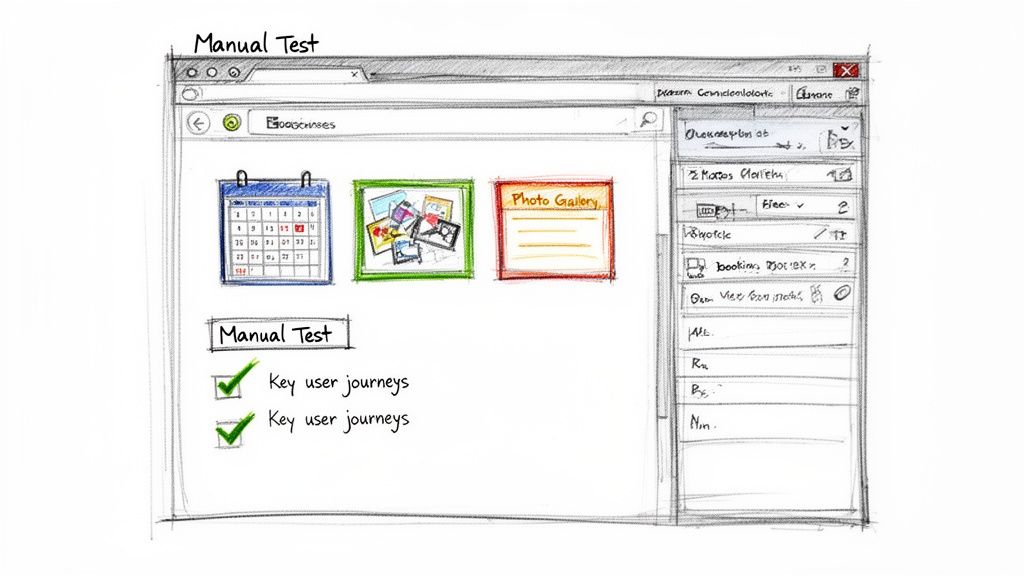
Alright, you know which browsers and devices to target. Now comes the part where you roll up your sleeves and get your hands dirty with some manual testing. This isn't just about giving your homepage a quick once-over.
Think of it as walking in your guest's shoes. The goal is to follow their exact path, from the moment they land on your site to the second they confirm their booking, making sure every step is smooth and bug-free. This hands-on approach is where you'll catch the subtle visual glitches and usability hiccups that automated tools almost always miss.
Leveraging Browser Developer Tools
You don't need a room full of pricey gadgets to check your website with different browsers and screen sizes. Every modern browser—Chrome, Firefox, Safari, Edge—comes packed with powerful, built-in "developer tools" that include a surprisingly good device emulator.
This lets you see how your site looks and behaves on various smartphones and tablets, all from the comfort of your desktop.
Getting there is easy. Just right-click anywhere on your website and select "Inspect." You can also use a keyboard shortcut like Ctrl+Shift+I on Windows or Cmd+Option+I on a Mac. Once the panel opens, look for a small icon that looks like a phone and tablet to toggle the device toolbar on and off.
It's an invaluable way to quickly spot responsive design problems—things like buttons that are too tiny to tap on a phone screen or gallery images that don't scale down properly.
While emulators are fantastic for quick layout checks, they aren't a perfect substitute for real devices. Always perform a final check on at least one physical iPhone and Android device to catch performance quirks and touch-specific bugs.
The Vacation Rental Testing Checklist
To keep your manual testing focused and efficient, you need a plan. A simple, structured checklist that covers the most critical user journeys on your STR website is the best way to make sure you test the features that directly impact your bottom line.
Here are the absolute must-check items for any vacation rental site:
- Homepage and Navigation: Do all the menu links actually go somewhere? More importantly, is your main call-to-action—like "Book Now" or "Check Availability"—front and center and easy to tap on every screen size?
- Property Listings: Check your photo galleries. Do all the images load? Can you swipe through them easily on mobile? If you have embedded maps or virtual tours, make sure they work as expected.
- The Booking Funnel: This is the big one. You need to walk through your entire booking process, from start to finish, on each of your target browser and device combinations. No shortcuts here.
- Availability Calendar: Is the calendar widget easy to use? Can you select check-in and check-out dates without any weird glitches, especially on a cramped mobile screen?
- Guest and Form Inputs: Test every single field in your booking form. Does the guest counter work? Can you successfully apply a promo code?
- Payment Processing: Yes, you need to run a real test transaction. Make sure your payment gateway loads correctly and processes the payment without throwing any errors.
This kind of methodical approach ensures every guest has a trustworthy and seamless experience. Taking the time to do these checks is a direct investment in your brand's credibility and a vital part of a smart vacation rental web design strategy. By catching these issues before your guests do, you're protecting your revenue and building the confidence that turns lookers into bookers.
Using Automation to Test Smarter, Not Harder
A hands-on, manual check of your website is fantastic for spotting those subtle little usability quirks. But let’s be real—it just doesn’t scale. As a busy vacation rental manager, you can't be expected to run through your entire booking funnel on ten different device combinations every time you tweak your pricing or update a photo. This is where automation becomes your secret weapon.
Think of automated cross-browser testing tools as a powerful safety net. They run checks in the background, catching technical glitches you’d likely miss otherwise. And no, these platforms aren't just for big tech companies; they're accessible tools that can save you hours of mind-numbing work and prevent booking errors that hit your bottom line.
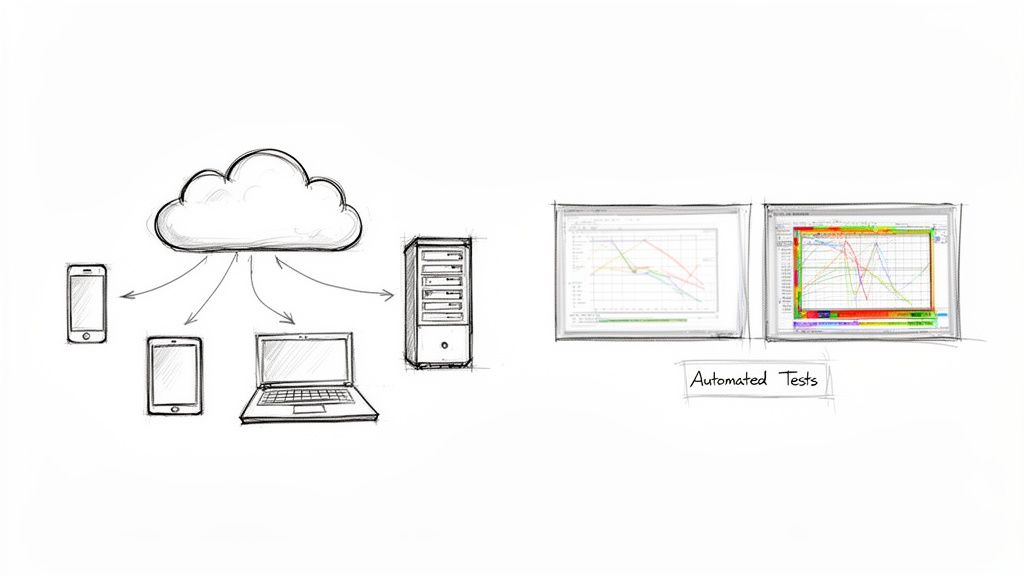
So, How Do These Cloud Testing Platforms Work?
Imagine having a massive virtual library with thousands of real devices and browser versions at your fingertips, without having to buy a single piece of hardware. That's exactly what cloud-based testing platforms like BrowserStack or LambdaTest deliver. You can instantly run a test on a super-specific combination, like Safari on an iPhone 14 or Chrome on a Windows 11 desktop, completely on demand.
The efficiency here is incredible. You can check your website with different browsers all at once, getting a full report in minutes instead of hours. This completely removes the headache and cost of maintaining your own device lab, where everything becomes obsolete in a year or two anyway.
The real magic of automation isn't just speed; it's consistency. An automated script tests the exact same way, every single time. It ensures that a small, innocent-looking change to your site doesn't accidentally break a critical feature on a browser you forgot to check.
It's a classic scenario: a busy vacation rental owner checks their site on Chrome, and it looks perfect. But then they switch to Firefox, and suddenly the booking buttons are misaligned, scaring away potential guests who prefer that browser for its privacy features. The numbers don't lie. While Chrome dominates the desktop market at 64.8%, you can't ignore Edge (12.95%) and Safari (8.85%). A single rendering bug on one of these can inflate your bounce rates by 10-15%. You can dig into more browser market share statistics on Yaguara to see just how fragmented the audience really is.
Picking the Right Automated Testing Tool
With several major players in the market, choosing the right platform can feel daunting. Most offer similar core features, but they differ in pricing, ease of use, and the sheer number of browser/device combinations available. Here’s a quick breakdown to help you compare.
Automated Testing Tool Comparison
| Tool Feature | BrowserStack | LambdaTest | Sauce Labs |
|---|---|---|---|
| Real Device Cloud | 3,000+ real mobile devices and browsers | 3,000+ real devices and OS combinations | Extensive cloud of real and virtual devices |
| Visual Testing | Yes, with Percy for visual regression | Yes, with SmartUI for visual testing | Yes, offers visual testing capabilities |
| Ease of Use | User-friendly interface, great for beginners | Intuitive platform, good for teams of all sizes | More enterprise-focused, steeper learning curve |
| Pricing | Starts with a free trial, paid plans vary | Offers a generous free tier, flexible pricing | Geared towards larger teams, higher price point |
| Integrations | Integrates with CI/CD tools like Jenkins, Jira | Wide range of integrations (Jira, Slack, etc.) | Strong integration with enterprise CI/CD pipelines |
Ultimately, the best tool for you depends on your technical comfort level and budget. I'd recommend starting with a free trial from LambdaTest or BrowserStack to get a feel for how they work before committing.
Key Automated Tests for STR Websites
You don’t need to automate every single thing on your website. For a vacation rental site, the best approach is to focus on a few high-impact tests that deliver the most value for your time.
- Functional Testing: This is your bread and butter. You automate the most critical user journey—the booking process. A script can automatically select dates, enter guest info, and click through to the payment page, verifying that every single step works as expected.
- Visual Regression Testing: This is a total game-changer. These tests take a pixel-by-pixel "snapshot" of your key pages (homepage, property listings, booking page). The next time a test runs, it compares the new snapshot to the old one and flags any unintended visual changes—like a logo that's shifted, a photo gallery that's overlapping text, or a completely broken layout.
- Performance Checks: Automation can also keep an eye on your site's load times across different browsers. This ensures that a slow-loading script on Firefox doesn't tank the experience for that segment of your users, causing them to abandon their booking.
Weaving these automated checks into your workflow creates a solid quality assurance process. It gives you the confidence to make updates—whether you're adding new properties, adjusting seasonal rates, or tweaking your policies—knowing you have a vigilant system watching your back for any compatibility issues that could hurt your revenue.
Your Essential Pre-Launch Checklist for Flawless Bookings
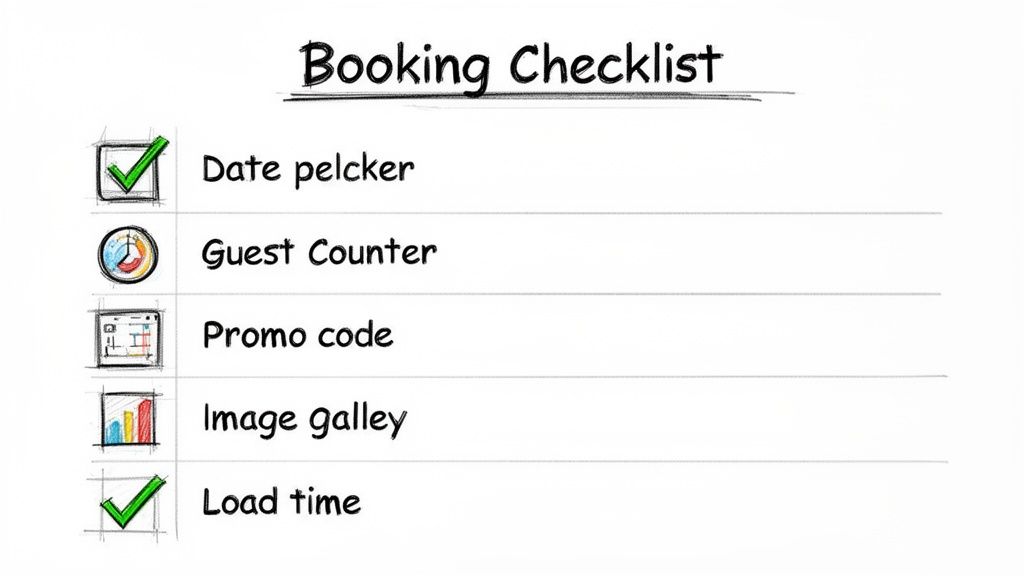
All the theory and tools in the world won't save you from a costly bug. What you really need is a repeatable process to protect your revenue.
This checklist is your pre-flight inspection before pushing any changes live. Run through it every single time to make sure every potential guest gets a smooth, frustration-free path to booking. By focusing on the critical components of your vacation rental site, you can methodically check your website with different browsers and catch the issues that actually impact your bottom line.
The Booking Engine
This is it—the heart of your direct booking strategy. It's also where a tiny browser bug can instantly kill a sale. You have to be meticulous here, especially on mobile, where calendars and form fields love to misbehave.
- Date Pickers & Availability Calendars: Can a guest easily tap check-in and check-out dates on an iPhone? How about clicking with a mouse in Chrome on a laptop? Make sure unavailable dates are clearly grayed out and, more importantly, are not selectable.
- Guest Counters & Dropdowns: Go through and test every single interactive element. Do the plus/minus buttons for the guest count work? Do dropdown menus for choosing a property get cut off on smaller screens? These seem small, but they’re huge points of friction.
- Promo Code & Payment Fields: Can a user actually apply that discount code you just sent out? Most importantly, does your payment gateway load properly across every browser? A failure here is a 100% guaranteed lost booking.
A single broken field in your booking engine can be catastrophic. If a guest can't complete a booking, it doesn't matter how beautiful the rest of your site is. This core functionality demands zero errors.
Visuals and User Experience
Your website's visuals are what build trust and get someone excited enough to pull out their credit card. When images break or layouts look wonky on one browser, your site instantly feels unprofessional, sending that potential guest straight back to an OTA.
- Image Galleries & Virtual Tours: Do your high-res property photos load quickly and display correctly without being squished or distorted? Test the navigation—swiping on mobile and clicking on desktop—to make sure it’s fluid.
- Embedded Maps & Widgets: I've seen third-party elements like Google Maps or review widgets break countless times. They are common points of failure. Verify they load and work as expected, paying special attention to browsers with stricter privacy settings like Firefox, which can sometimes block them.
Performance and Accessibility
Finally, don't forget that performance is user experience. A slow website is a massive turn-off, especially for travelers browsing on spotty mobile networks. For a deep dive into every aspect of site health, this ultimate site audit checklist is a fantastic resource.
- Load Times: Pop open your browser's dev tools and throttle the network connection to simulate slower 3G or 4G speeds. Does your site still feel usable, or does it grind to a halt?
- Font Rendering & Readability: Double-check that your custom fonts are loading correctly and that all your text is legible. Some browsers use different fallback fonts that can completely throw off your design.
- Accessibility Checks: Can a user with motor impairments navigate your site? Run a quick check to see if key elements like the "Book Now" button are easily identifiable and clickable, and try navigating the booking process using only your keyboard.
Frequently Asked Questions
Even with the best game plan, questions always come up when you start digging into cross-browser testing. Let's tackle some of the most common ones we hear from vacation rental managers, with clear, straightforward answers to help you get this done.
How Often Should I Check My Website?
You absolutely need to do a full cross-browser check after any major update. Think new booking engine, a complete theme overhaul, or adding a new payment gateway. These are the high-risk moments where something is almost guaranteed to break on some browser.
For routine maintenance, a monthly audit is a great rhythm to get into. Just focus on your most critical pages—the homepage, a key property listing, and the booking form—across your top three browsers. This simple habit helps you catch small issues from browser updates before they start eating into your revenue.
Do I Really Need to Test if Chrome Is So Dominant?
Yes, absolutely. It's a huge mistake to ignore everyone else, even with Chrome's massive market share. A big chunk of your potential guests, often between 25-40%, are using other browsers like Safari, Edge, or Firefox. Remember, nearly every person browsing from an iPhone or a Mac is on Safari.
This isn't just any slice of the market, either; it often represents a high-value demographic. Losing even a small fraction of those bookings to a silly browser-specific bug has a direct, painful impact on your bottom line. You have to test across the board to serve your entire audience, not just the majority.
Relying solely on your website builder to handle compatibility is a risky assumption. Custom code, third-party widgets like a review feed, or even the specific content you add can introduce conflicts that the platform can't predict. Always verify for yourself.
What Is the Single Most Important Page to Test?
Without a doubt, your entire booking funnel is the top priority. This isn't just one page, but a critical journey for your guests that includes:
- The property listing page
- The availability calendar
- The guest information form
- The final payment page
A tiny functional glitch at any one of these steps is all it takes for a guest to give up and leave. Your homepage makes the first impression, sure, but a flawless, trustworthy booking process is what puts money in your pocket.
Ready to ensure your website delivers a perfect booking experience on every browser? hostAI builds intelligent, high-converting websites for STR managers that are rigorously tested for compatibility, helping you capture every possible direct booking. Discover how hostAI can boost your direct revenue.